
Signposting
The use of Signposts will reduce the number of patients contacting you, when they don’t need to.
Signposts help the patients to inform themselves about the level of care that they need and where to turn if needed.
A signpost is an information page that will be shown to the patient before they start answering questions in a questionnaire.
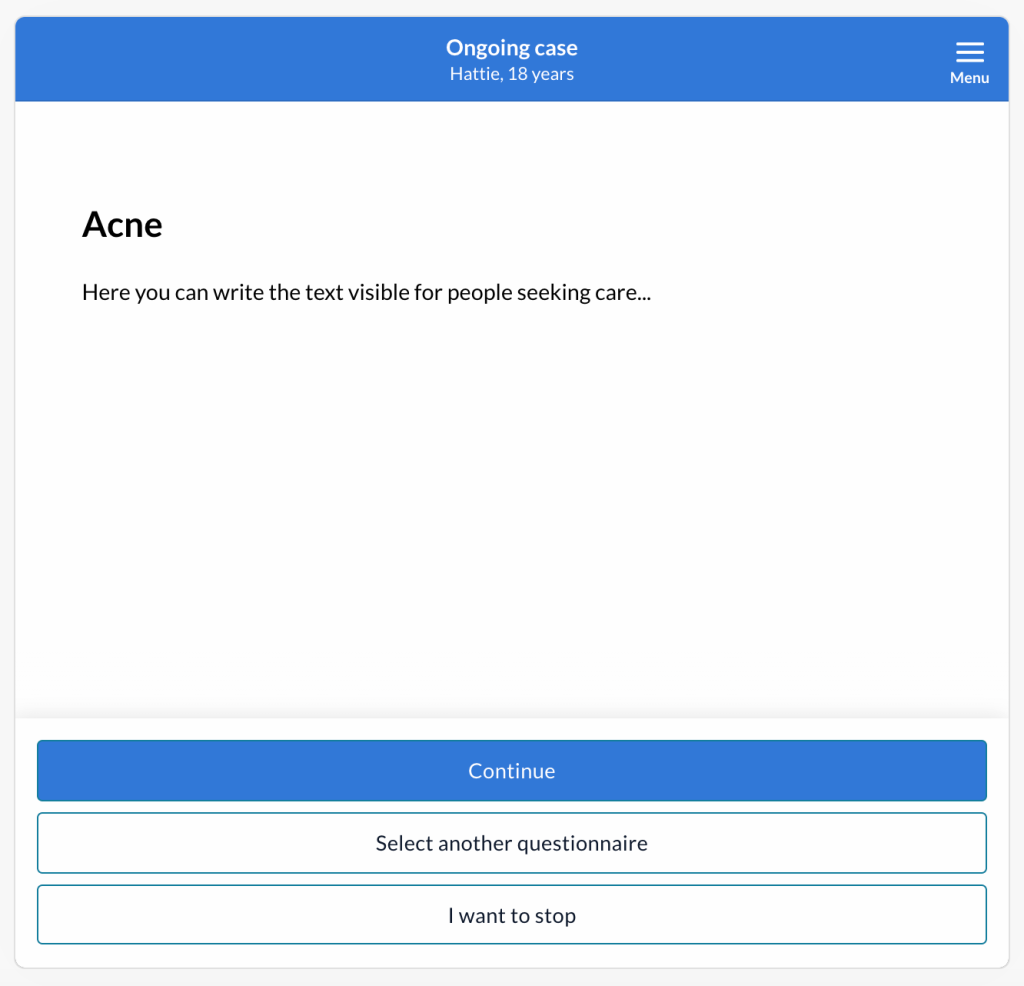
Signposts can e.g. be set up to give the patient:
- advice for self-care.
- links to external information.
- information about expected response times for certain topics (such as letters, certificates etc.).
- where to turn if the healthcare centre does not take care of the type of problem they have.
- administrative questions such as opening hours.
When the patient has selected a reason for contact and read the signpost, they can choose to continue, select another reason for contact or close the case.
How to create a signpost
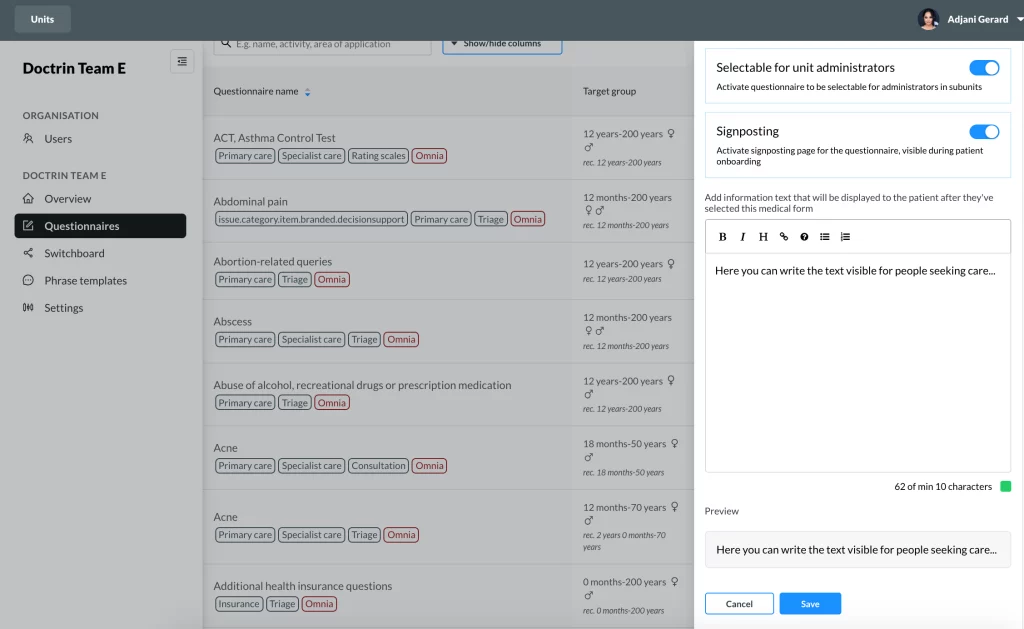
- Login in to Admin and select the unit you want to manage.
- Select Questionnaires in the menu. The list shows all available questionnaires.
- Select a Questionnaire to open the configuration panel.
- Toggle on Signposting in the configuration panel to activate signposting for this questionnaire.
- Add the information in the textfield. You can format the text if you want. A preview is shown below the textfield.
- When you are ready – Save.
The information text added to the Signpost will be saved even if you toggle on/off the Signpost.
Updated on 2023-01-23