
Allow a colleague to join a video consultation
If you want to have a video consultation with a patient together with a colleague, to e.g. perform team assessment, it can be activated for each video consultation. Inform your colleague when the consultation is scheduled.
How to allow a colleague to join
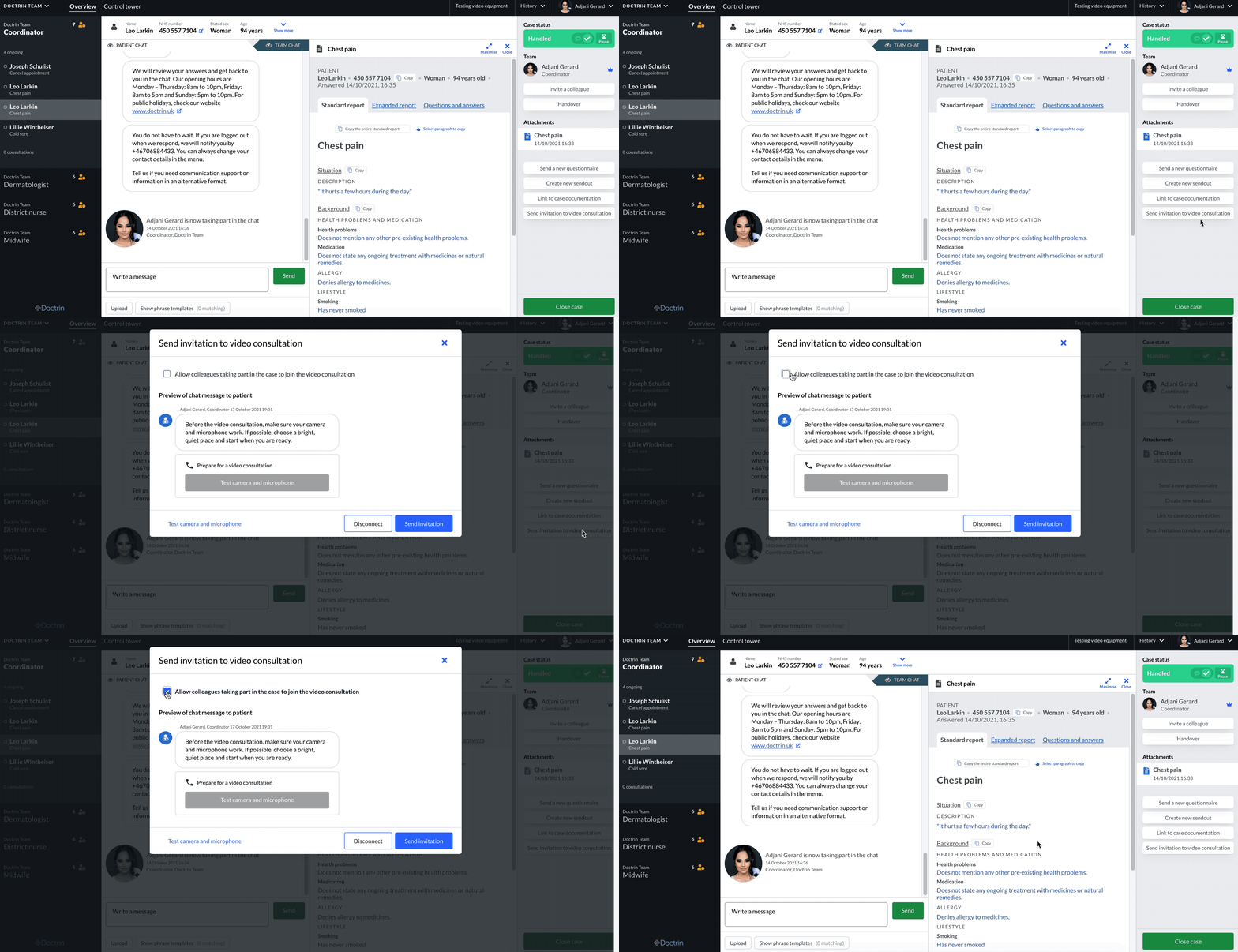
- Make sure you are in the case view for a patient.
- Select “Send invite to a video consultation” in the tool panel.
- In the popup that appear, check “Allow colleagues that participates in the case to join the video consultation”.
- Notify the colleague you want to take part in the consultation.
Additional information
Before you send the appointment to a patient, consider if a participant will share screen during the consultation. If so, this participant needs to be the owner of the case. It is not possible to change owner during an ongoing video consultation. It is possible to invite a colleague during an ongoing video consultation.
Updated on 2021-11-01