
Get started with meeting rooms
Meeting rooms are virtual rooms where one or more caregivers can meet one or more patients in a video consultation. E.g. group therapy or conversations where the participants share with each other.
This is a feature that Doctrin activates on request
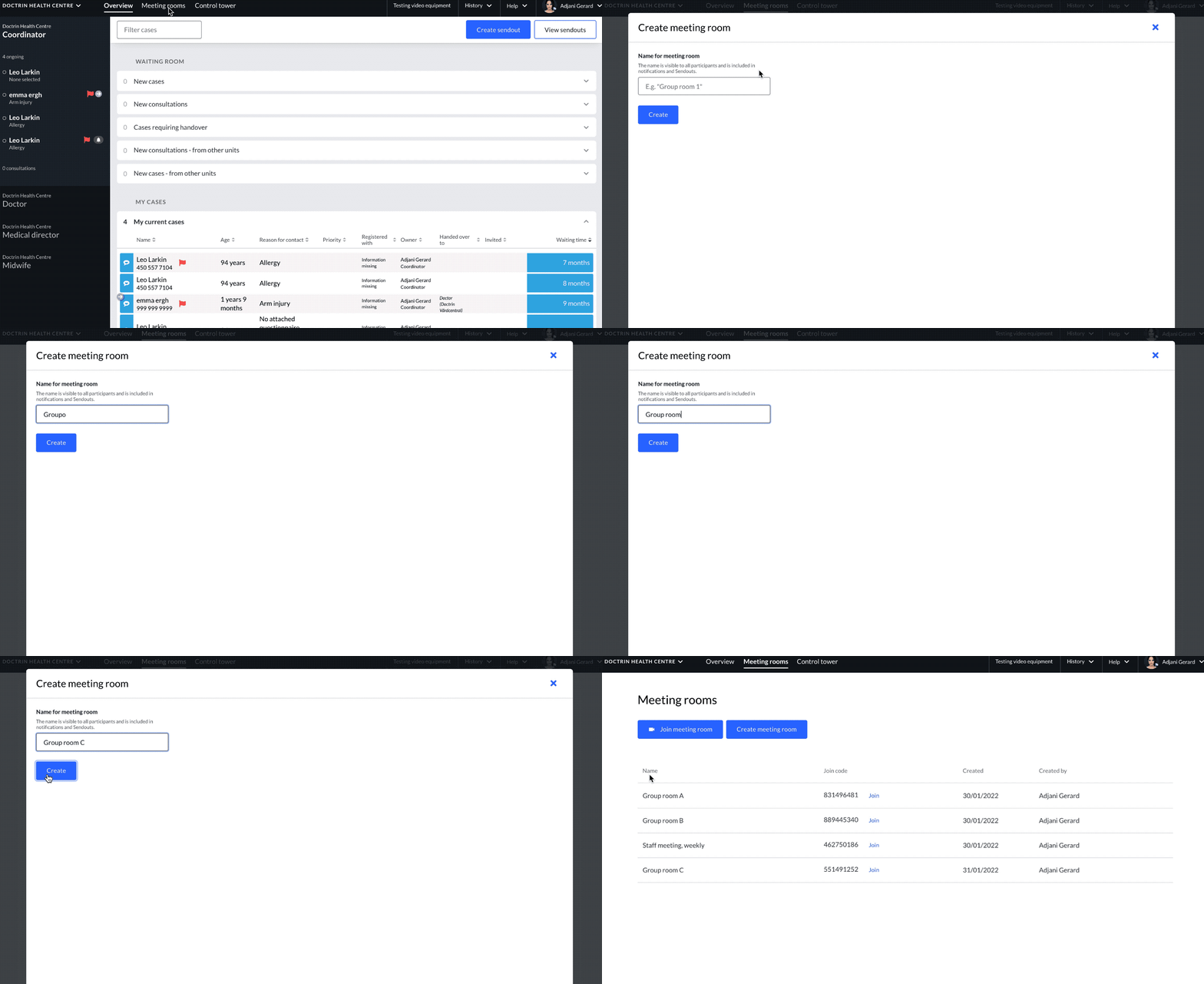
Introduction to Meeting rooms
Meeting rooms can be used for both internal video calls with colleagues or to gather one or more patients in a video consultation.
There is no limit to how many meeting rooms a unit can have. As a caregiver, you can create them for yourself or for a colleague. It is possible to join all meeting rooms created on your unit. A meeting room is not linked to date/time and is available forever.
When a meeting room is created, it receives a unique join code that all participants can use to join the activity in the meeting room, regardless of whether you are a caregiver or a patient.
Meeting rooms can be attached to information sendouts for a smoother flow for patients. This means that the patient does not need to remember any connection code themselves.
People who can join a meeting room
- All caregivers within in a unit.
- Patients that have the join code.
- Caregivers invited from another unit within the same organisation, that have the join code.
Number of participants in a meeting room
The platform supports meeting rooms for up to 12 participants. It is possible to have more participants, but Doctrin can only guarantee good quality for the video call up to 12 participants.
It is possible to invite multiple patients, colleagues from the same unit and caregivers doing a consultation from another unit in the same organisation.
Everything a participant needs is a secure login for authentication, a join code and a short instruction.
Flexible solution
Meeting rooms can be used in many different ways – discuss within your unit how this feature best supports your work.
Updated on 2024-06-03