
Shortcuts for patient interface
Shortcuts for Questionnaires allows you to highlight questionnaires to the patient. You can select the most commonly used ones, or ones that you think that patients should use more often.
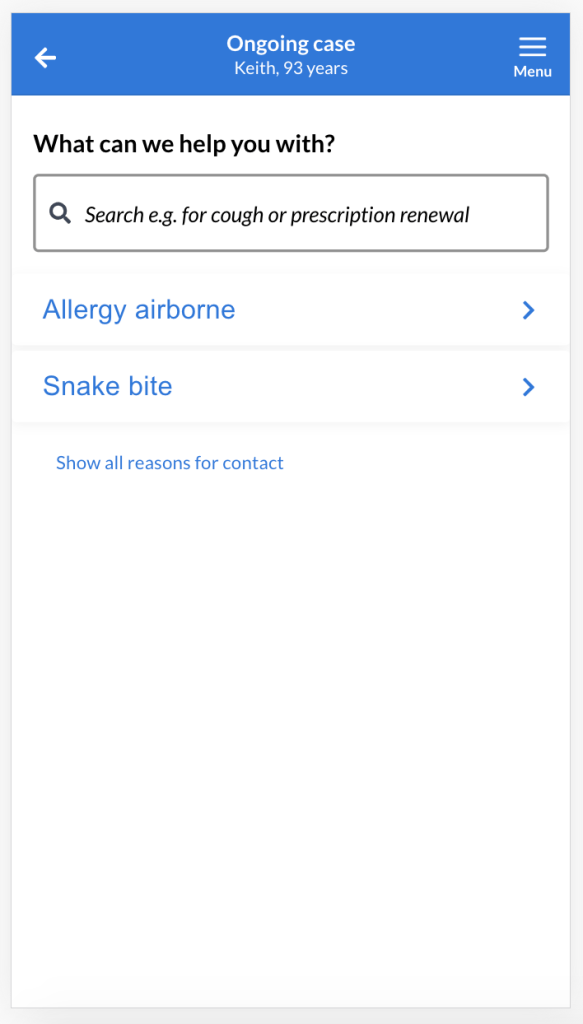
Use the Shortcut feature to guide patients to a questionnaire that is commonly used or one that you want to highlight. Patients will be able to see the Shortcut without search or entering their reason for contact.
By default this feature is not enabled. The feature will be activated when the first Shortcut is saved. It is possible to enable and disable this feature even if Shortcuts have been created. They will be saved until you delete them, one by one. If you delete one by misstake, you can always create the Shortcut again.
To set up a Shortcut
- Login to admin.
- Select “Settings” in the menu.
- Select “Shortcuts for patients”.
- Select “Add” to creat a new Shortcut.
- Search for the questionnaire that you want to connect to a Shortcut by typing in the searchfield or scroll in the list of questionnaires, that are active for your unit.
- Select a questionnaire and then “Save” to create the Shortcut.
- If there are more than one Shortcut created, you can use the arrows to arrange them in the order you would like the patient to see them.
Video about creating and removing a Shortcut:
What patients see:
Updated on 2023-01-23