
Disable ‘create new case’ for patients
Manage number of incoming new cases when healthcare professionals is on sick leave or if a unit have too much ongoing work.
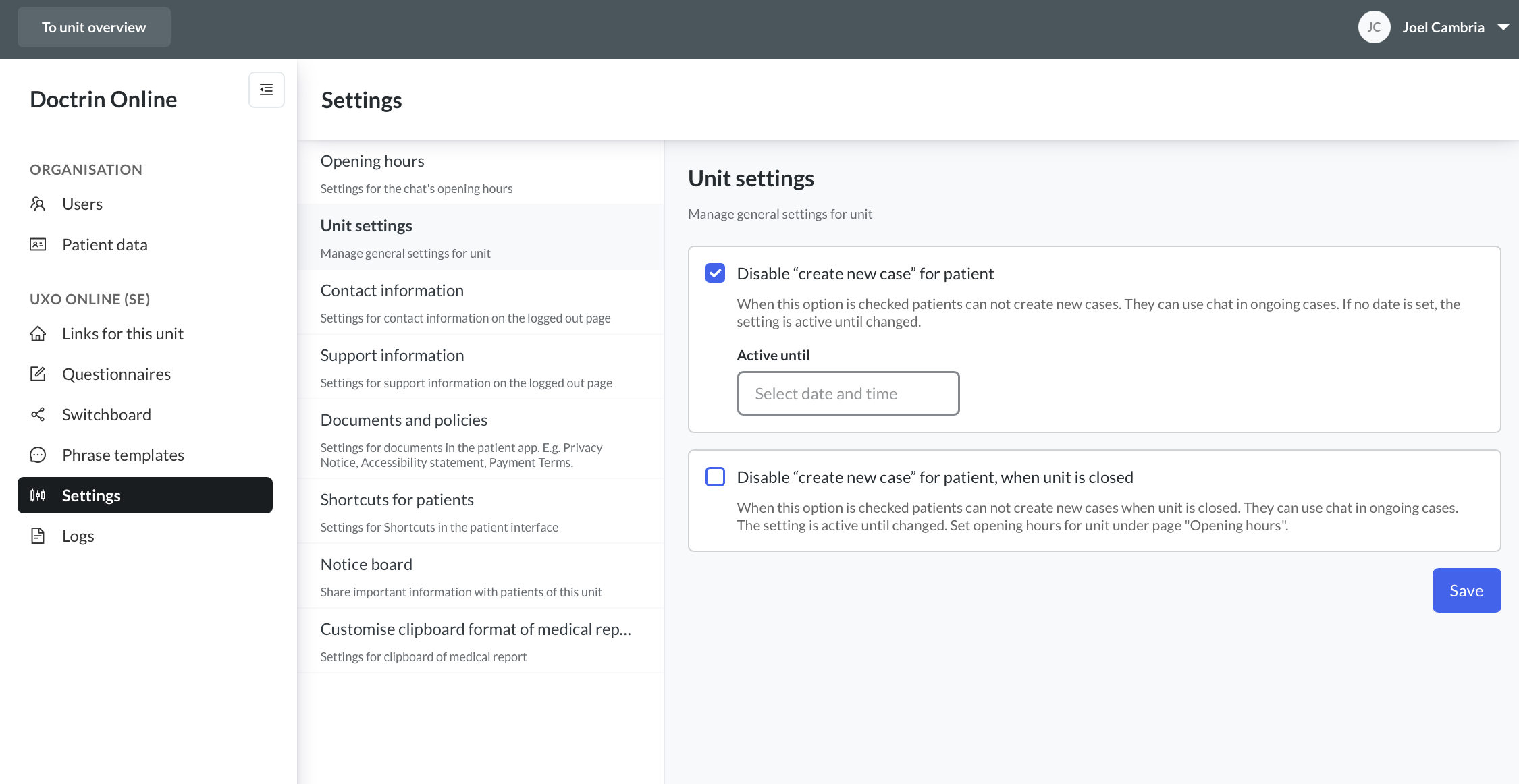
Control the workload of a unit by deciding when a patient can create new cases for a period of time. Patients can still chat and keep in contact in ongoing cases.
How to disable ‘create new case’
- Log into admin.
- Select settings.
- Select unit settings.
- Check Disable ‘create new case’ for patient to stop patients from creating new cases.
- Save.
Disable ‘create new case’ outside of a unit’s opening hours
It is also possible to disable for patients to create new cases outside of a unit’s opening hours. Use this option to ensure that there are not a large group of new cases when a unit is not staffed, which means that the load is not too heavy when the unit reopens after, e.g. a weekend when a unit has been closed.
The settings are active until changed. To open for patients to create new cases again, uncheck the boxes and save changes.
Updated on 2024-10-21