
Log file for patients
This function is mainly for when a patient requests to see who has had access to their data.
If you are a Log Manager with access to admin and administration of logs, you can use this function easily and reliably in admin.
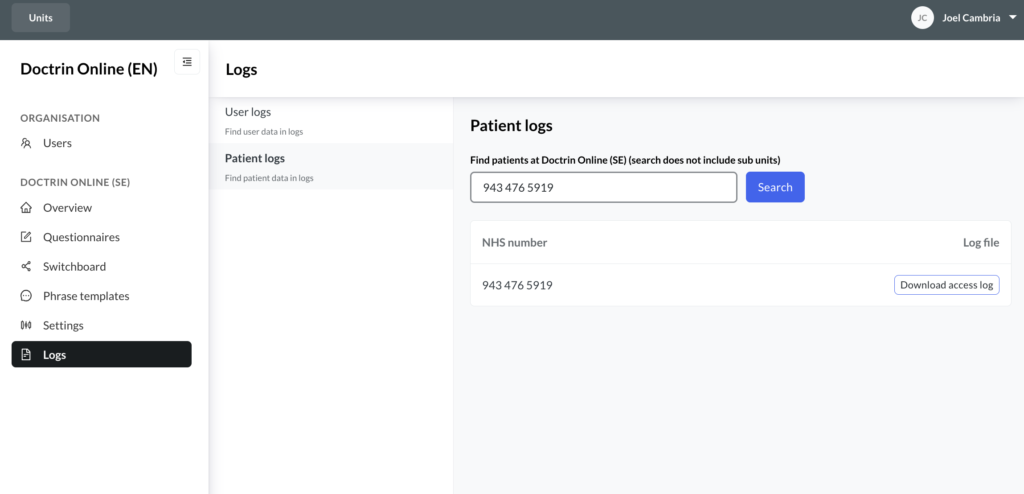
Search and find patients
The patient log can be filtered on a specific patient on a unit, to see exactly who has had access to a patient’s data.
How to download a patient log
- Log into admin.
- Select “Logs” in the menu.
- Then select the page “Patient logs”.
- Search for a patient using an identifier, e.g. NHS number, membership ID or social security number and select “Download access log”.
- Select date range. The file that is downloaded shows all recorded interactions between a patient and a user on that specific unit. The file is downloaded to your computer.
Updated on 2023-06-04