
Note for a case
Make your daily work easier with digital ‘post-its’ when you need to note something related to a case, for example before a doctor’s round. The feature is designed as an extra aid to help you avoid both physical notes on your desk and having to keep things in your head.
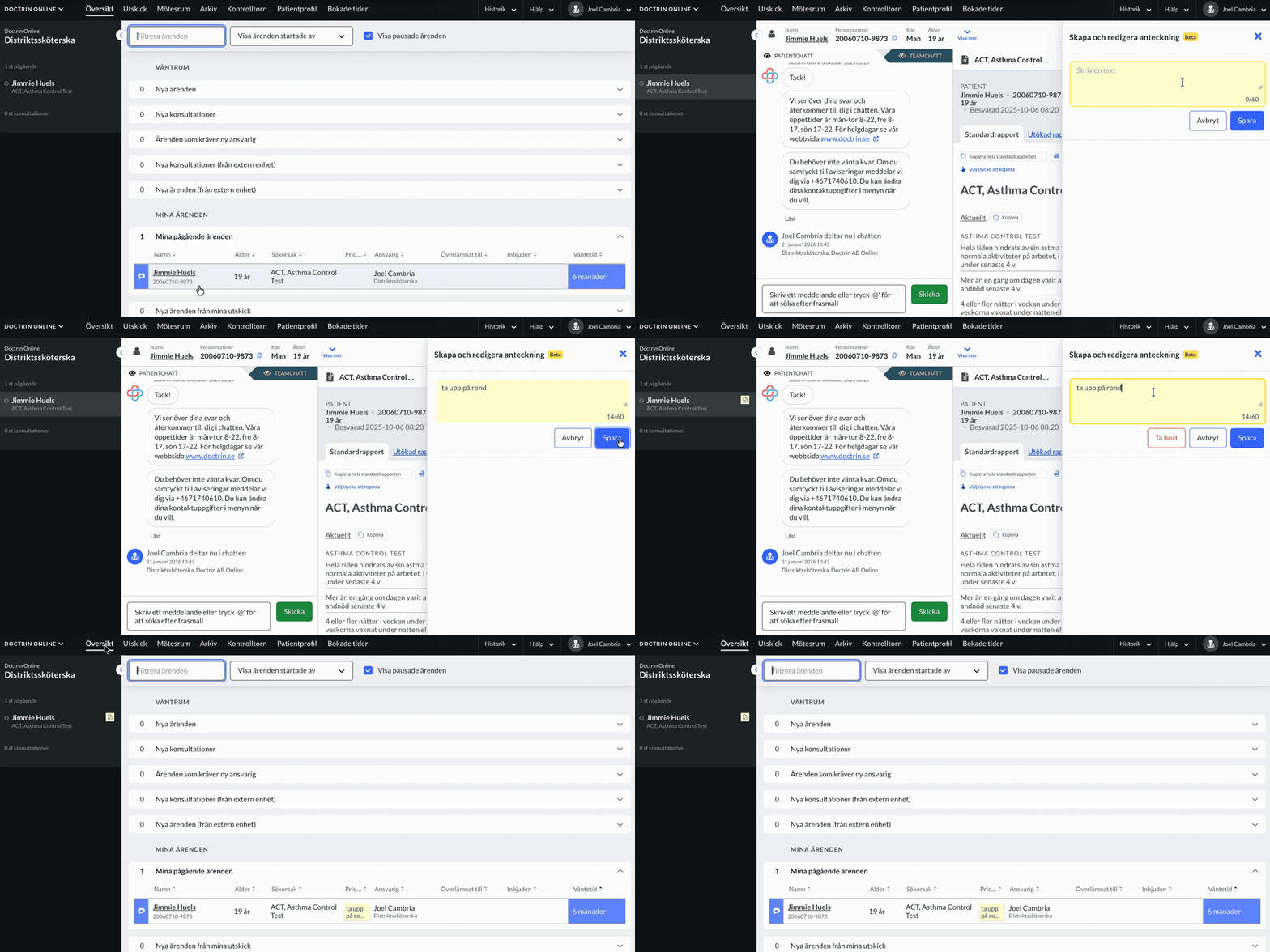
A note is a way to gain better control over case management. It acts as a digital reminder to help healthcare staff with follow-up and work planning, while reducing cognitive load.
A few known use cases:
* Mark cases that need to be discussed with a doctor, but are not urgent.
* Note that a patient has been offered an appointment and is awaiting a response.
* A short reminder to avoid going in and out of a case.
* Flag a case to be brought up in the daily round, with a short note to remember what is important to raise.
How to create a note
- Open a case.
- Go to the activity panel. Just below the status for a case you find the feature looking like a post-it.
- Click on the surface to create a note.
- Write up to 60 characters.
- Save.
How a note works
A note can be up to 60 characters and is visible in the case view, the overview and the left panel. There is one note per case and everyone involved in a case is free to write, edit and delete a note. A history of notes is saved in the team chat, in the same way as for flags and priority numbers. A note is not carried over when a case is handed over to another unit.
Who can see a note?
* All healthcare staff who have permission to view the case.
* All healthcare staff invited for a consultation, including external staff.
* Patients can not see a note.
Who can create and edit a note?
* All healthcare staff who have permission to view the case.
* All healthcare staff invited for a consultation, including external staff.
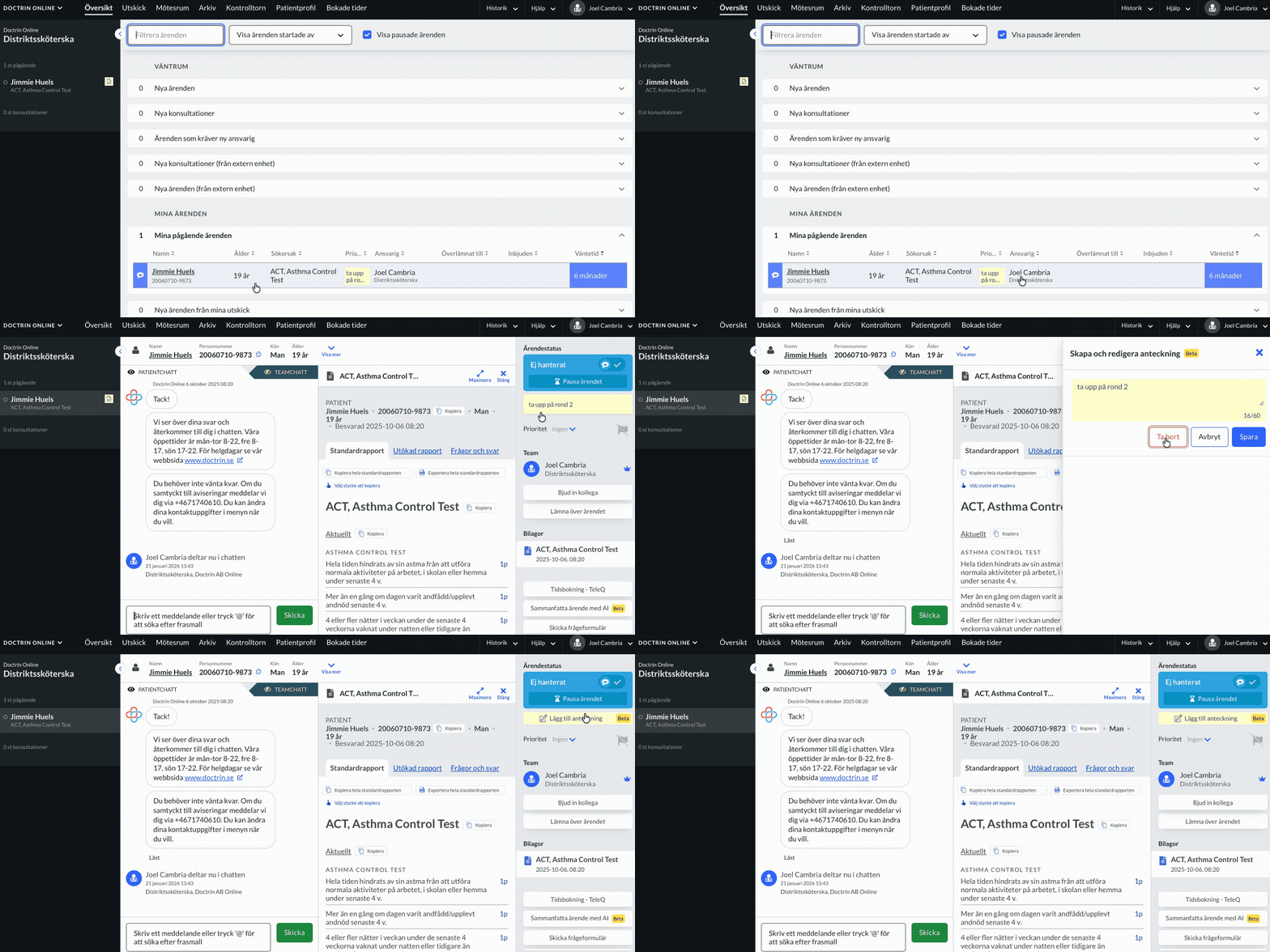
How to delete a note
- Open a case.
- Go to the activity panel.
- Click on the case note.
- Select delete.
- The note is deleted and the view is closed.
It is possible to see in the team chat when a note has been deleted and by who.
Note! Avoid to write sensitive information in a note.
Updated on 2026-05-29