
Mark a case as handled or not handled
To mark a case as handled or not handled will help you to identify those cases in the overview that need your attention. This feature can help you improve your efficiency and patient safety.
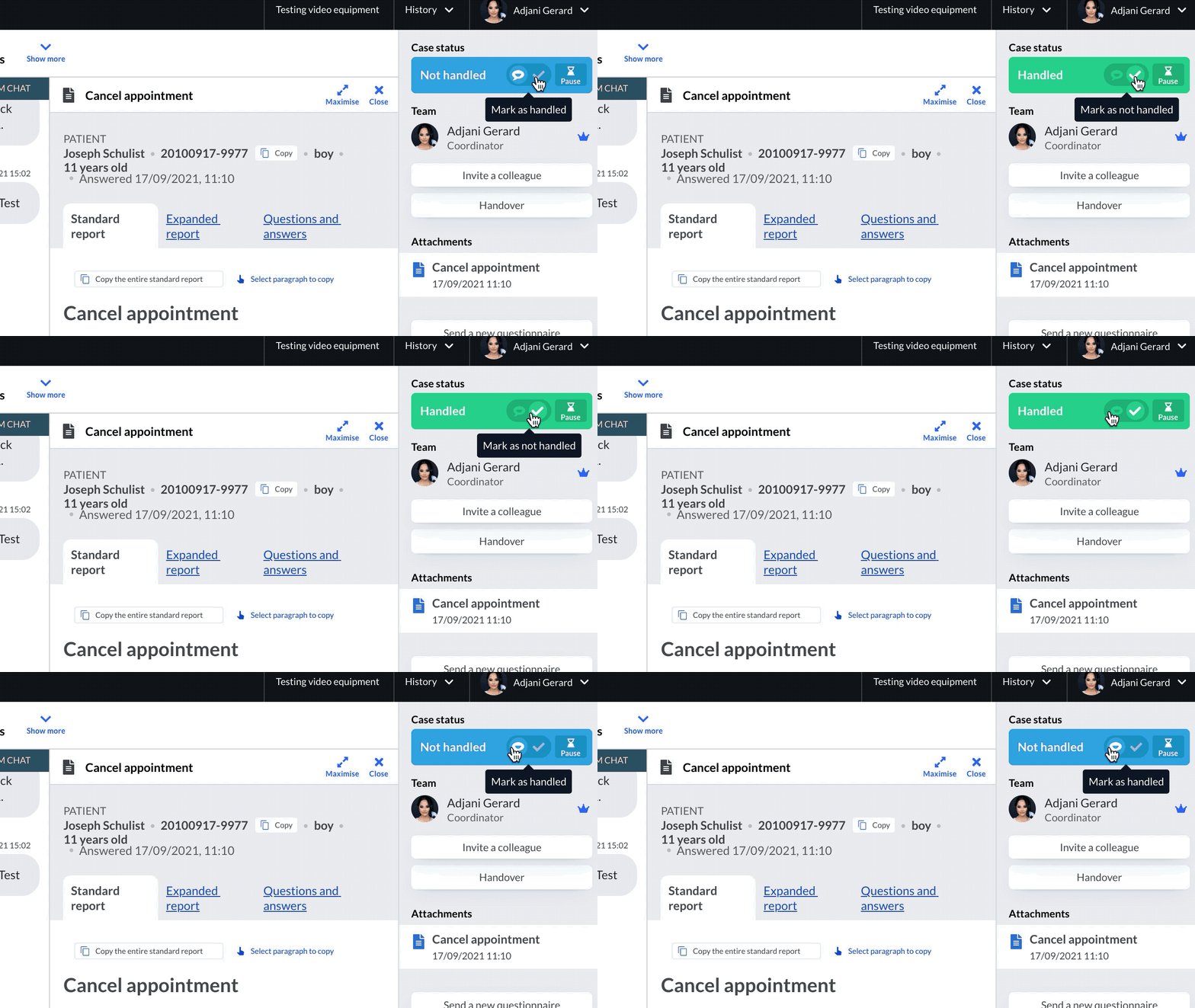
As a caregiver you can mark a case as handled (green) if a patient has been active but does not need any further action from you. It is also possible to mark a case as not handled (blue).
The status will help you in determining what cases in the overview require your attention.
The change is registered in the team chat with; “Firstname Lastname marked the case as handled”.
This functionality can be used as a complement to cases changing status automatically when a patient or caregiver acts in a case.
Example 1.
A case is waiting for handover.
The patient writes “Thanks” in the chat.
Mark the case as handled, since this case does not need any further action from you.
Example 2.
You ask for information from the patient.
The patient writes “Ok, I will get back to you”
Mark the case as handled, since this case does not need any further action from you.
Updated on 2021-12-06