
Notifications and consent
If a unit has enabled “Consent to notifications”, the caregiver must have the patients’ consent in order to notify them by SMS or email. More about notifications sent from the platform.
Introduction to consent
When a patient seeks care and, e.g, starts a new case, they are asked whether or not they want to be notified of updates in the case. The patient can answer “yes” or “no”. If the patient cancels before answering the question, they are “undefined” in the platform until the patient has answered the question.
Who gets notifications?
Notifications are sent to patients who have answered “yes” or are “undefined”. The platform therefore ensures that patients who have ongoing cases when the functionality is activated will still receive notifications about their cases. Thus, it is only at the next time they seek care that they will be able to actively choose “yes” or “no” to notifications.
Consent is stored at the organisational level. This means that if the patient has said “no” to being notified in one unit, this also applies to all other units within the same organisation.
An unit can set up its own information text on what consent means. Patients can read the text when they seek care and are asked about notifications. A unit’s superuser can add and modify the information text in admin.
How a caregiver sees patient choice
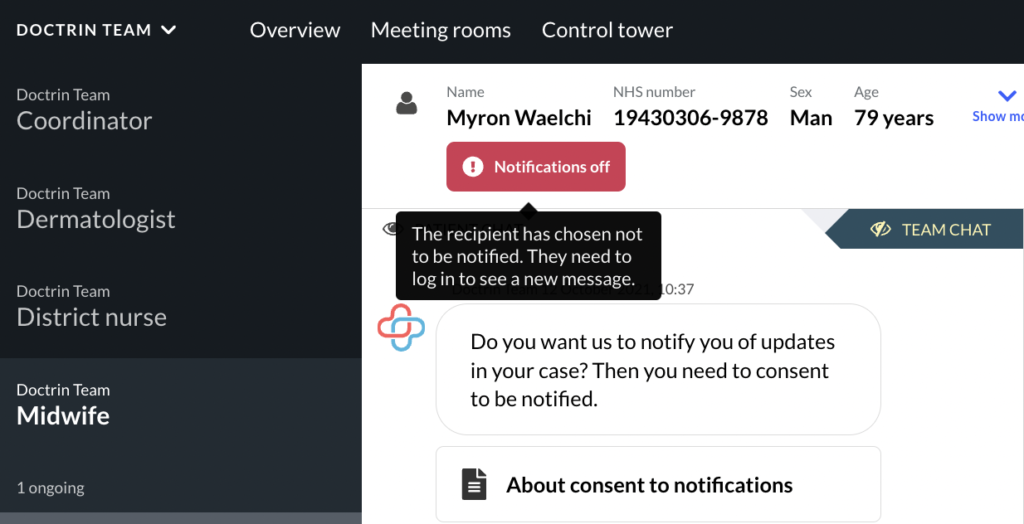
If a patient has chosen not to receive notifications, this is shown in the case view.
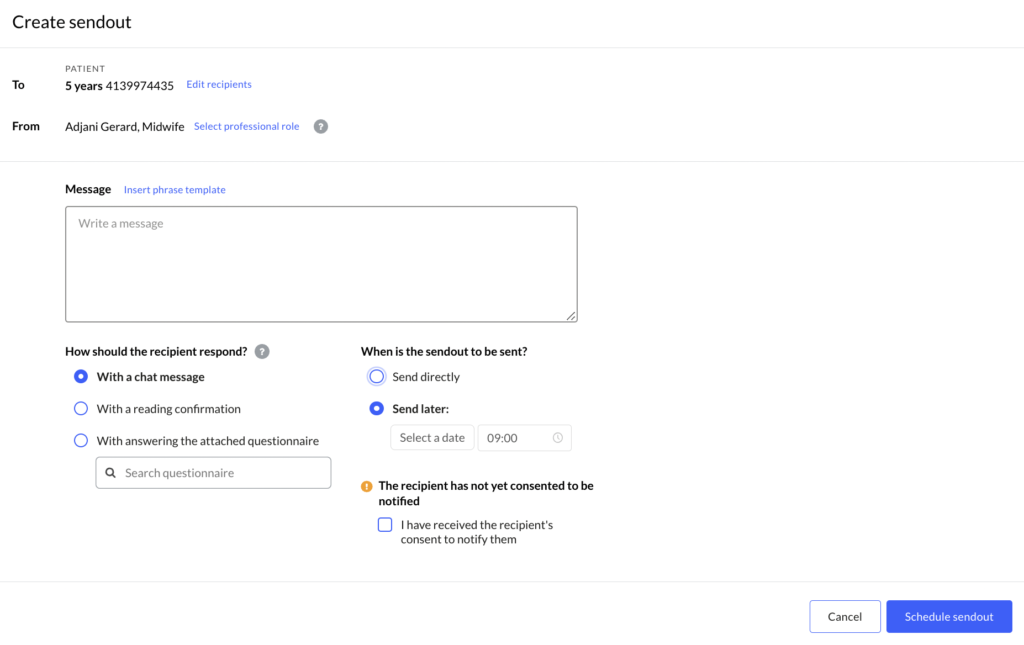
The patient’s choice is also displayed in the Sendout view.
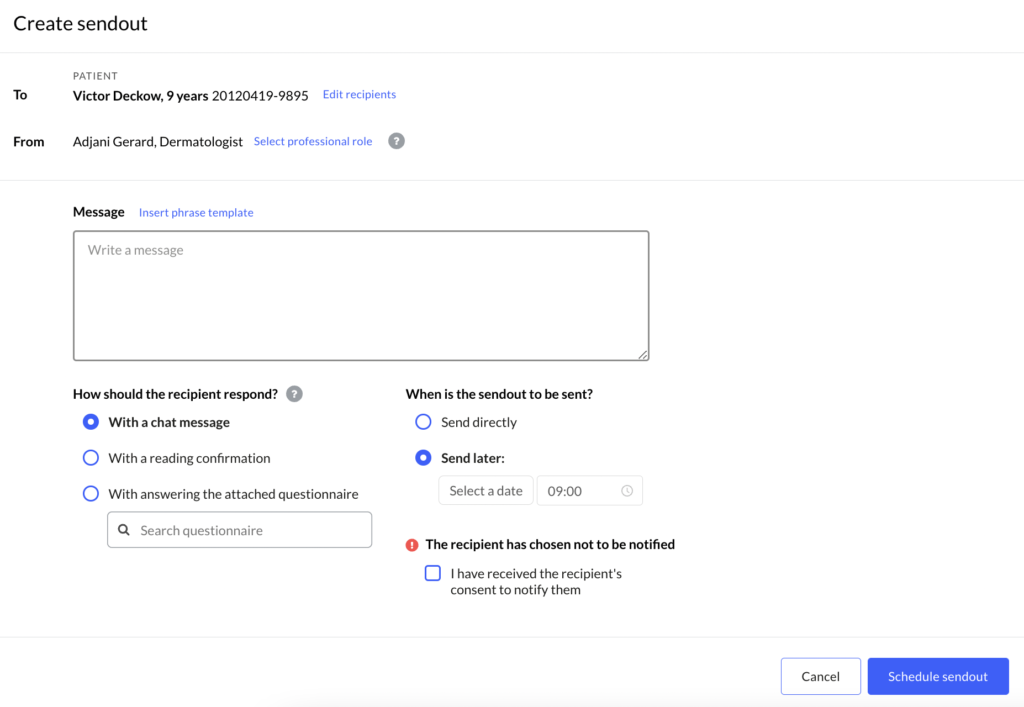
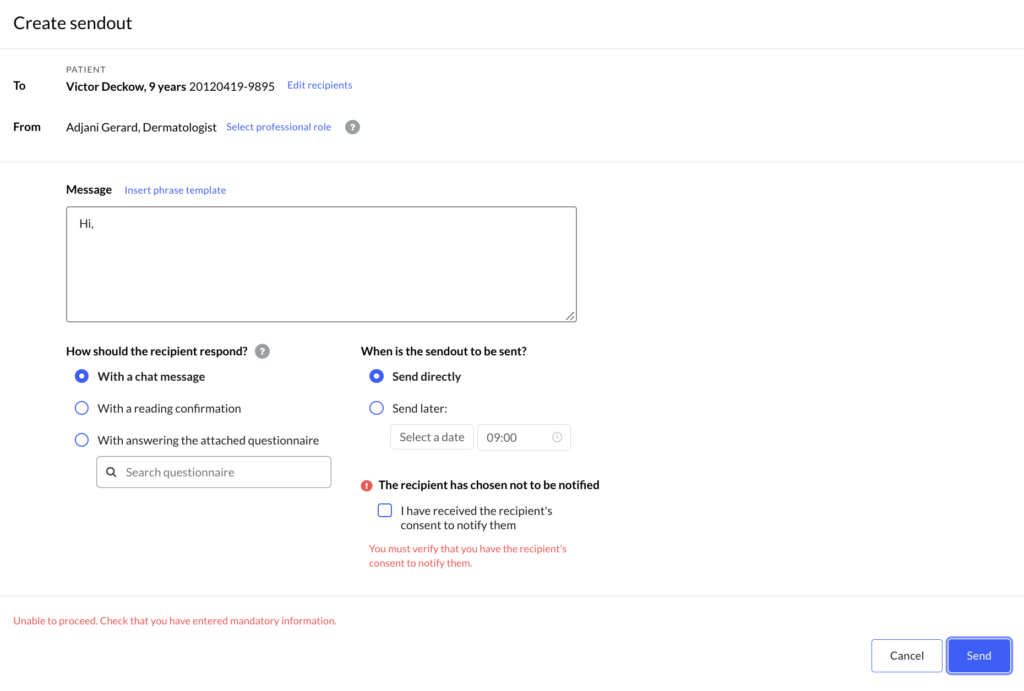
If a caregiver tries to send a Sendout when a patient has not consented to notifications, the platform will display information about missing consent.
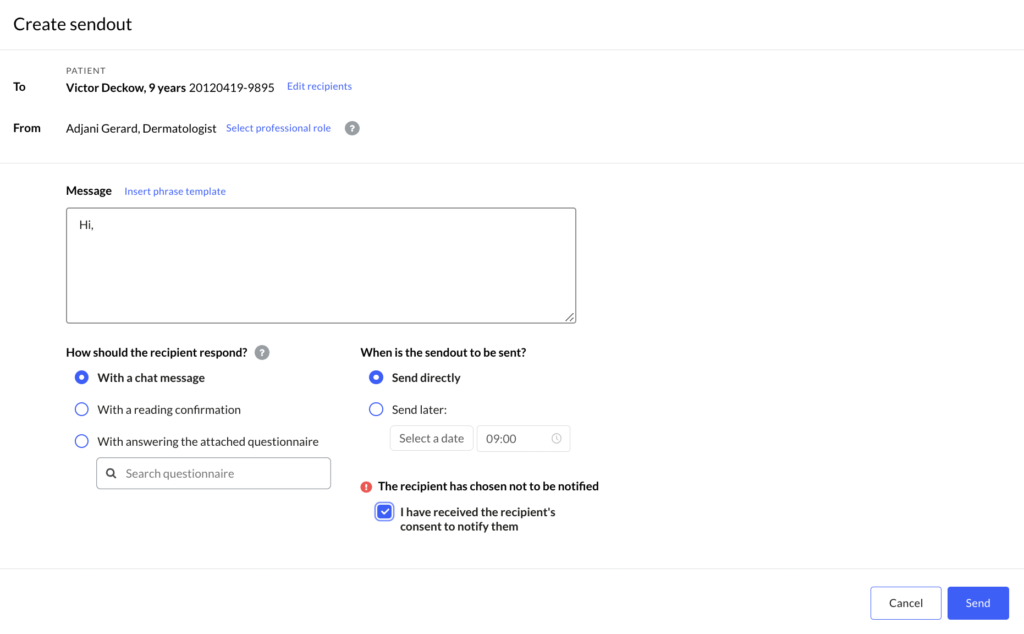
A caregiver can choose to send a Sendout anyway. E.g, if a patient has given consent in a face-to-face appointment.
If a patient has not been asked the question yet or interrupted before answering the consent question, the platform displays information about this.
How it works for patients
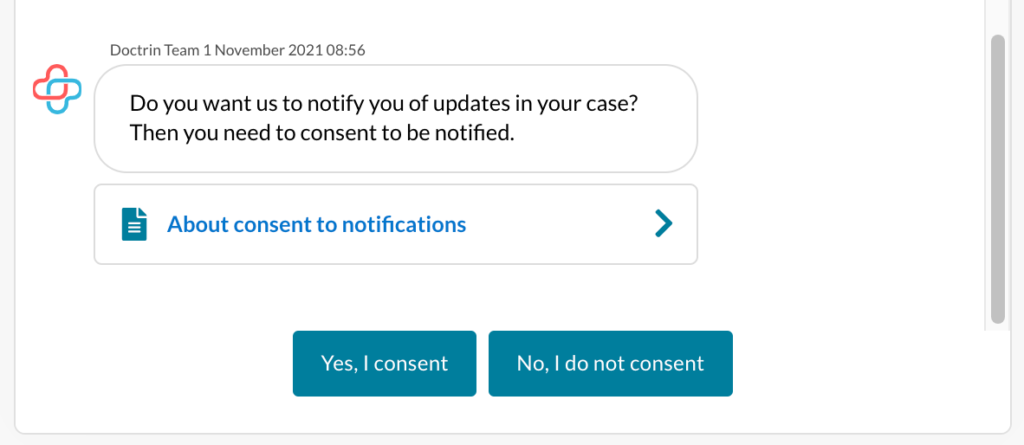
A patient will see the information and can give and change their consent in these cases:
- During onboarding of a new case.
- After answering a questionnaire, if consent has not been given earlier.
- In the menu, with immediate effect for all active cases.
A caregiver can get a patient’s consent during e.g. a face-to-face appointment and add the consent in the platform while creating a Sendout.
The information text “Consent to notifications” is shown together with the consent question, to inform how personal data is handled.
Updated on 2023-01-23