
Send documents
Any material that is usually printed and handed to the patient, can be sent as a PDF in the chat instead. This can include instructions, consent forms, or other documents that you need the patient to have.
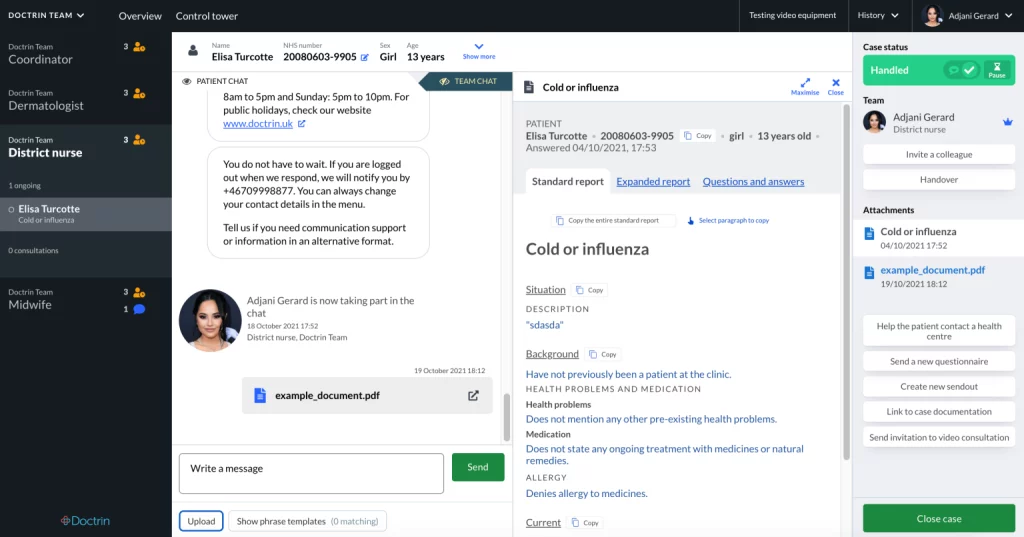
How to send a document
- Go to the case view for a patient.
- Select “Upload button”.
- Choose the document you want to send to the patient.
- Select “Open” – and the document will be sent to the patient immediately.
The file formats you can send in the chat are: PDF, png and jpg.
Updated on 2023-01-19