
Delete Meeting Room
All Meeting Rooms created in a unit and listed on the Meeting Rooms page can be deleted. This means that you can delete Meeting Rooms that both you and your colleagues have created.
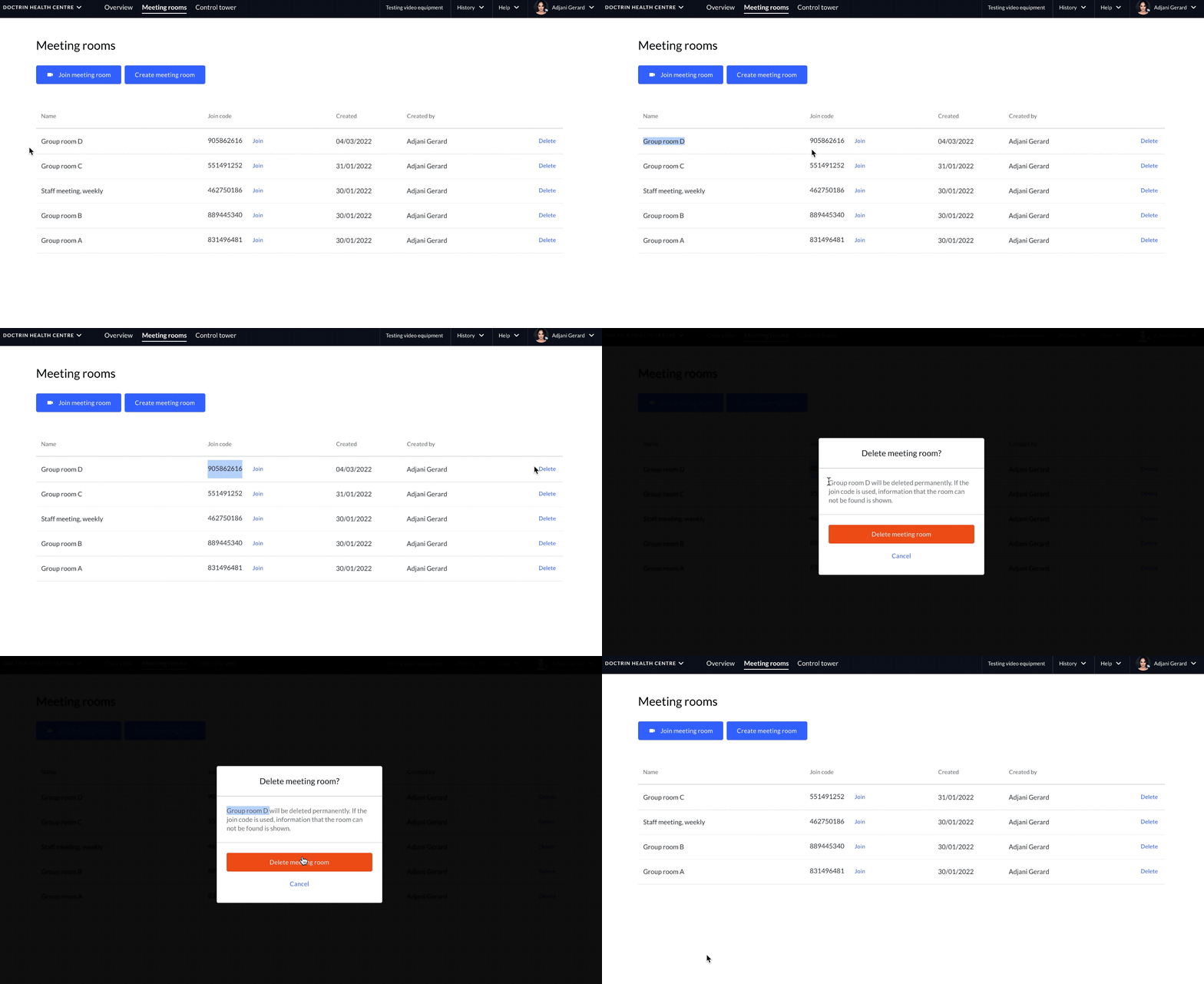
How to delete a Meeting Room
- Log in to your unit.
- In the main menu select, “Meeting rooms”.
- Find the Meeting Room you want to delete.
- Select “Delete”.
- You will now be asked to confirm that you want to delete the Meeting Room.
- If you select “Delete Meeting Room” the room will be deleted permanently and removed from the Meeting Room list for your unit. The join code for the Meeting Room will no longer work.
If someone (either patient or caregiver) tries to use a join code for a Meeting Room that has been deleted, they will see a message that the room can not be found.
If a direct link has been used for the room, the link will no longer work.
Restore a Meeting Room
If a Meeting Room has been deleted by mistake, it is possible to restore the room with the same join code. E.g. if a join code already has been shared with a group of people.
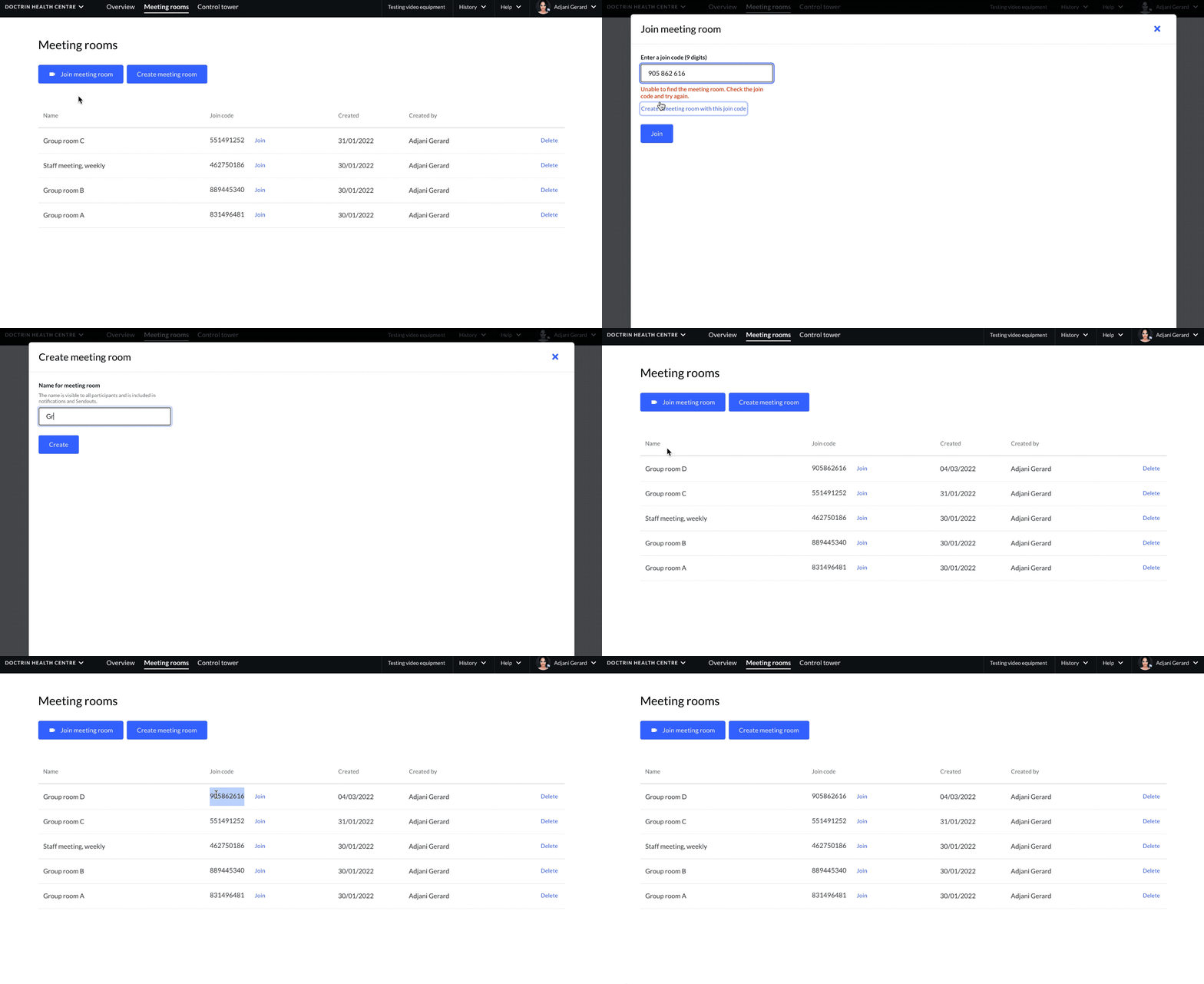
How to restore a Meeting Rooom
- Log in to your unit.
- In the main menu select, “Meeting rooms”.
- Select “Join Meeting Room”.
- Enter the join code.
- Select “Join”.
- If a Meeting Room has been deleted, you will see a message saying “Unable to find the Meeting Room”.
- You will also see a link to restore the Meeting Room, using the original join code.
- Click the link and enter the join code.
- The Meeting Room is now restored with the original join code and you will see it in the Meeting Room list for the unit.
Updated on 2022-03-04