
Preview questionnaires
As a healthcare professional or administrator, you can preview the content of questionnaires before they are used or switched on for use. Choose the right questionnaire with confidence.
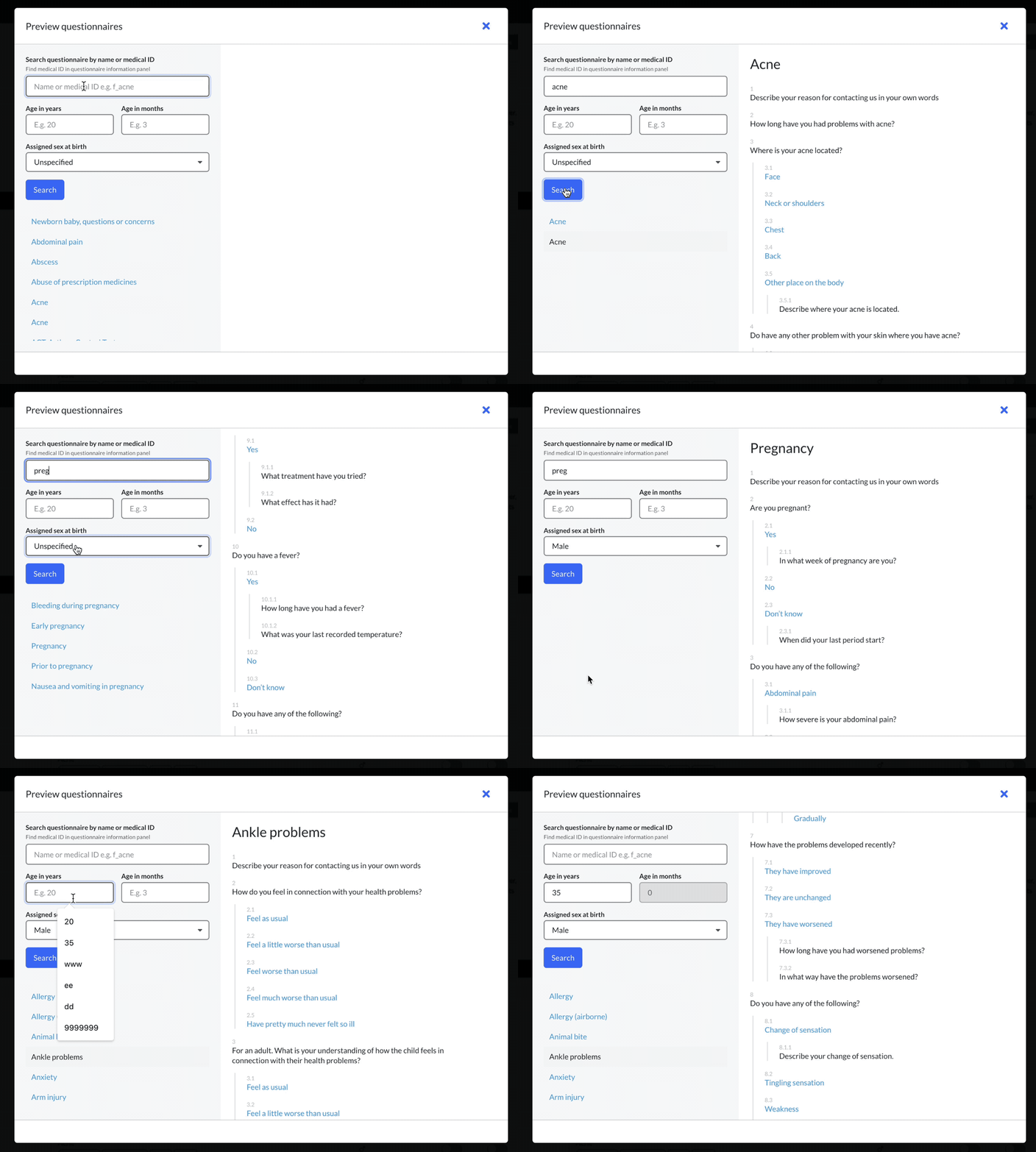
It is possible to preview questionnaires in admin, chat and sendouts.
Preview in admin – administrator
- Log in to admin.
- Select a unit.
- Select “Questionnaires” in the menu.
- Select “Preview questionnaires” (blue button in top menu).
- Select questionnaires in the list or filter by name.
- The questionnaire’s script is shown with the possibility to scroll through all questions with possible answers.
The list of questionnaires is dynamically adapted based on the used filters. If the fields for age and sex at birth are filled in, the list of available questionnaires is filtered based on them. The script shows the questions and answers available based on the specified sex at birth and age. If sex at birth or age is not specified, all questions in the questionnaires are shown.
Preview in chat and sendouts – healthcare professionals
- Log into the plattform.
- Go to the case view for a patient.
- Select “Preview questionnaires” in the tool panel.
- Select a questionnaire from the list or filter on the name of the questionnaire.
- When a questionnaire is selected, the script is shown with the possibility to scroll through all questions with possible answers.
- Select “Add” (When “Add” is selected in the chat, and extra confirmation window is shown before a questionnaire is sent to the patient).
- Select “Send” (alternatively, schedule for sendouts).
The preview shows questions that may be asked to the patient based on their age and sex at birth. The questions that are indented in the script correspond to follow-up questions. The patient receives follow-up questions based on the answers they provide when filling in the form.
Updated on 2023-08-11