
Attach meeting rooms to information sendouts
Attach a meeting room directly to an information sendout or bulk sendout to make it easier for the patient to connect directly to a scheduled video consultation.
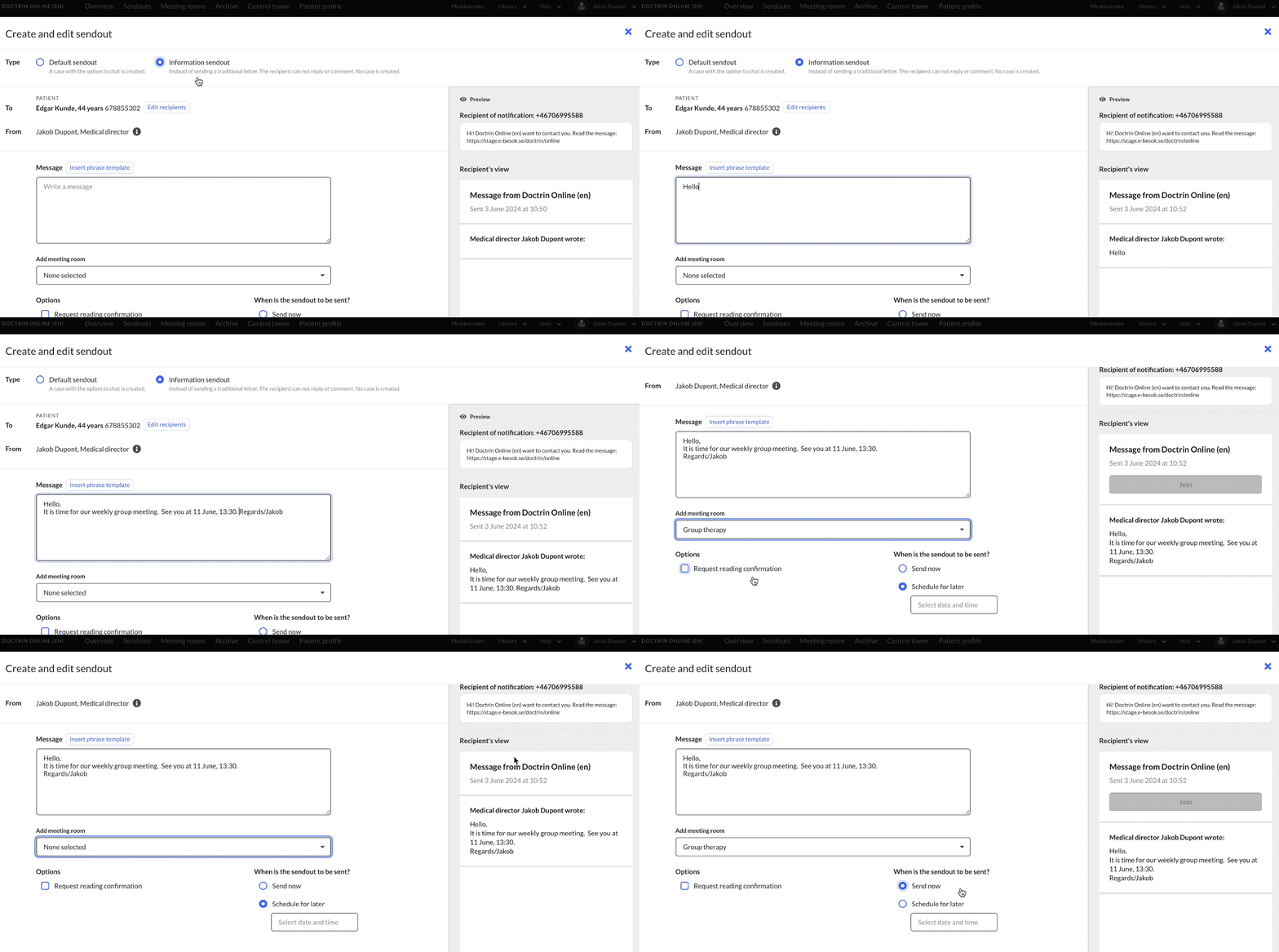
How to attach a meeting room to an information sendout
- Create a sendout and select information sendout
- Write the content of your message. See more about creating content and options for a patient to answer a sendout.
- Choose to attach a meeting room. In the preview, you can see that a new button is added to make it easy for the patient to connect to the video consultation when the time comes.
Meeting rooms are first created under the tab Meeting rooms.
It is also possible to include a meeting room join code in a sendout. The patient then goes to the menu and enters it to start their video consultation.
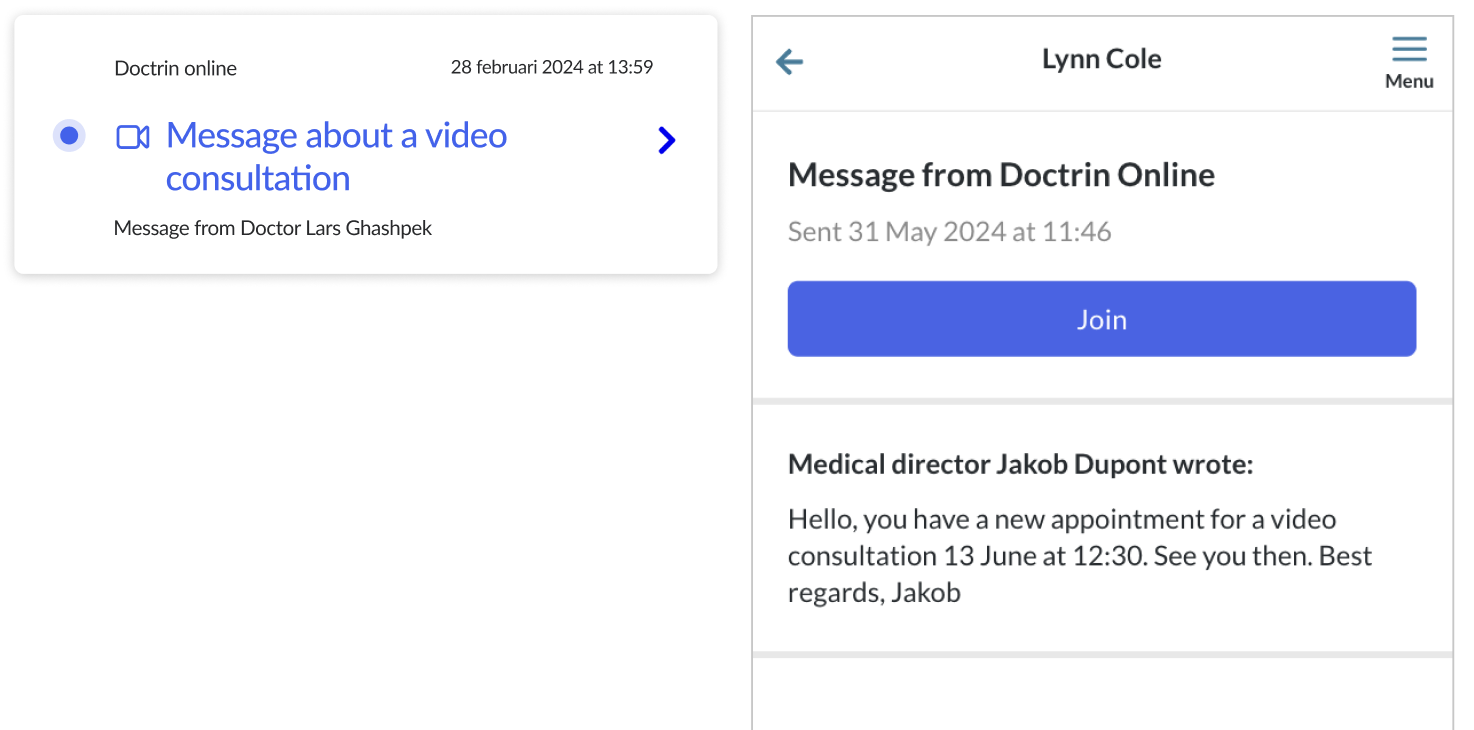
What a patient sees
Updated on 2026-03-31