
Pause a case
The pause function can be used if you are waiting for test results or need additional information. It can also be used when handing over to a colleague or a specific profession that is temporarily unavailable.
When you pause a case you need to enter a reason and a date/time when to resume the case again. It is possible to pause a case at any time. Note that the time can only be set on a quarter hour basis.
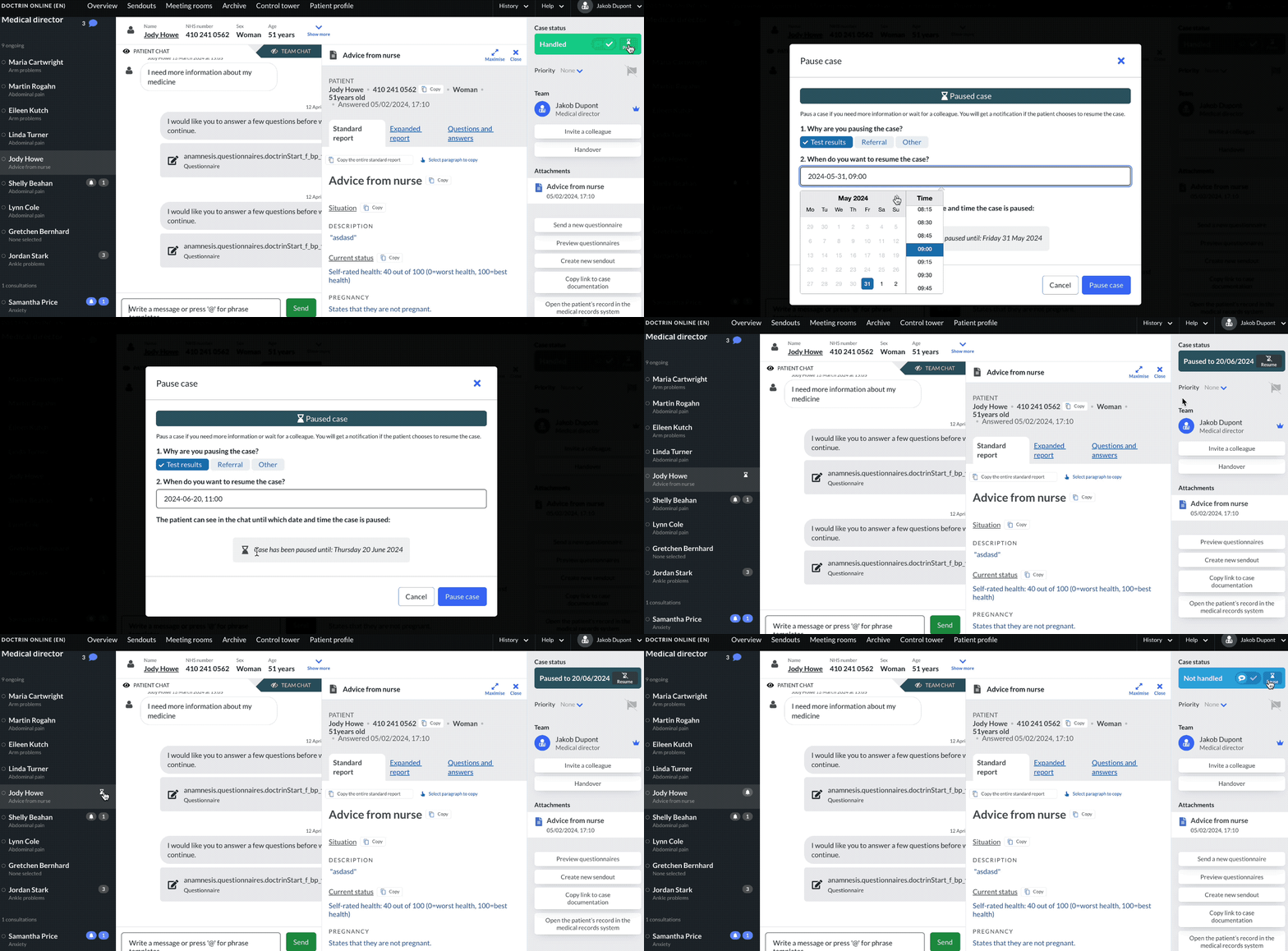
How to pause a case
- Open a case.
- The tool panel shows the current status. You can also choose to pause a case here.
- Select “Pause”.
- Select a reason.
- Select a date and time when you want the case to resume. Note that the time can only be set on a quarter hour basis.
- Select “Send”.
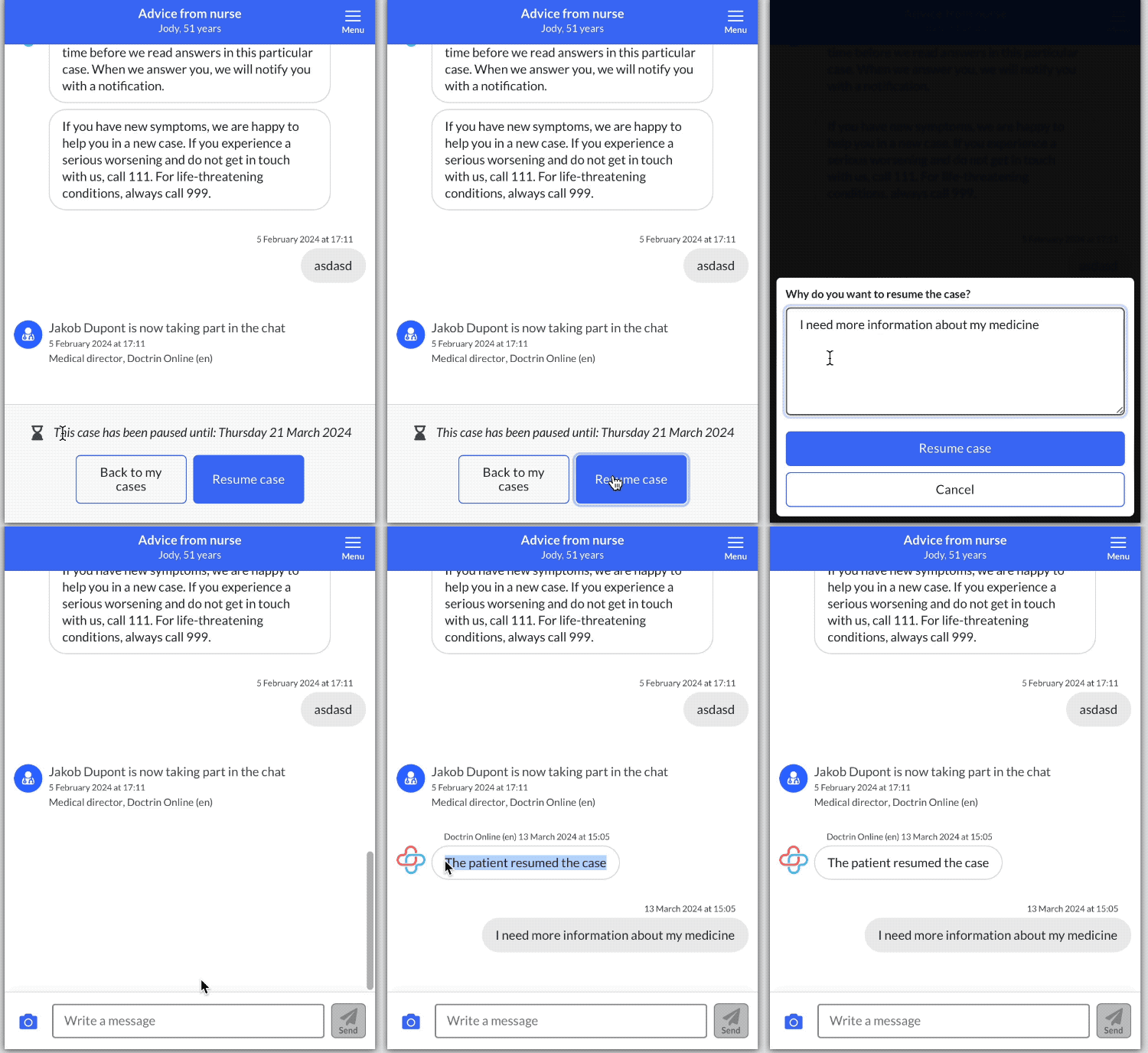
- The patient can now see in the case that it is paused until a specific date. The patient can choose to resume the case by writing a reason.
- The case is marked “Paused” with an icon and a dark green colour; both in the case view and in the Overview.
- The date to which a case is paused is shown in both the left panel (hover on icon) and right panel of the case status.
How to resume a case
- Open a case.
- Select “Reasume case” in the tool panel.
- The case has now been resumed. This means that you can write to the patient again.
Paused case for healthcare staff
All healthcare professionals involved in a case can pause and resume it. This means that both owners and consultants in a case have the same possibilities;
In the overview, a paused case is marked with a dark green colour and an hourglass icon. Participants in a case receive notifications even if a case is paused.
If a patient resumes a case ahead of time, it is marked as active with the colour blue in the overview and case view.
How are caregivers affected when a case is paused?
All healthcare professionals involved in a case can pause and resume it. This means that owners have the same possibilities as consulting healthcare professionals.
In the Overview, a paused case is marked with a dark green colour and an hourglass icon. Participants in a case receive notifications even if a case is paused.
Paused case for healthcare patient
When a case is paused, the patient can see this in their case together with the selected date. They can choose to resume their case by clicking on a button and writing a reason why they want to be contacted earlier than planned. The patient’s reason is sent as a message in the chat.
Updated on 2024-05-31