
Notice board
Inform patients about illness, change in opening hours, conferences, staff shortages, holidays or similar events. The notice board is a feature to highlight important information.
Just as important information can be found on a door or notice board in a physical healthcare centre or clinic, there is a need to communicate the same type of information digitally.
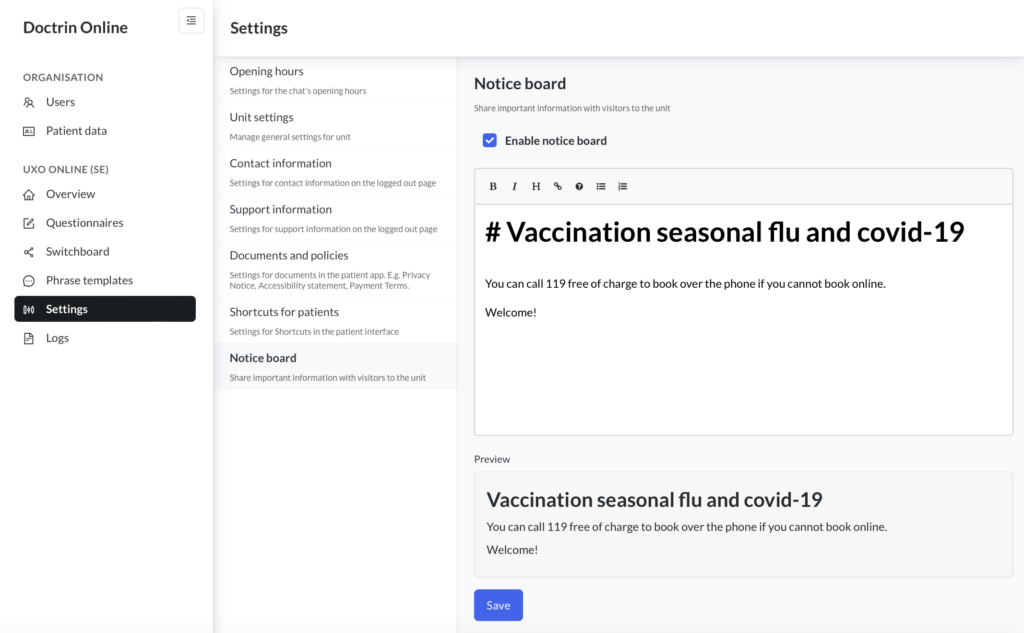
The notice board is completely independent of the setting of opening hours and can be switched on/off as needed by healthcare staff with the Unit Manager profile. It is possible to add headings, links and other formatting.
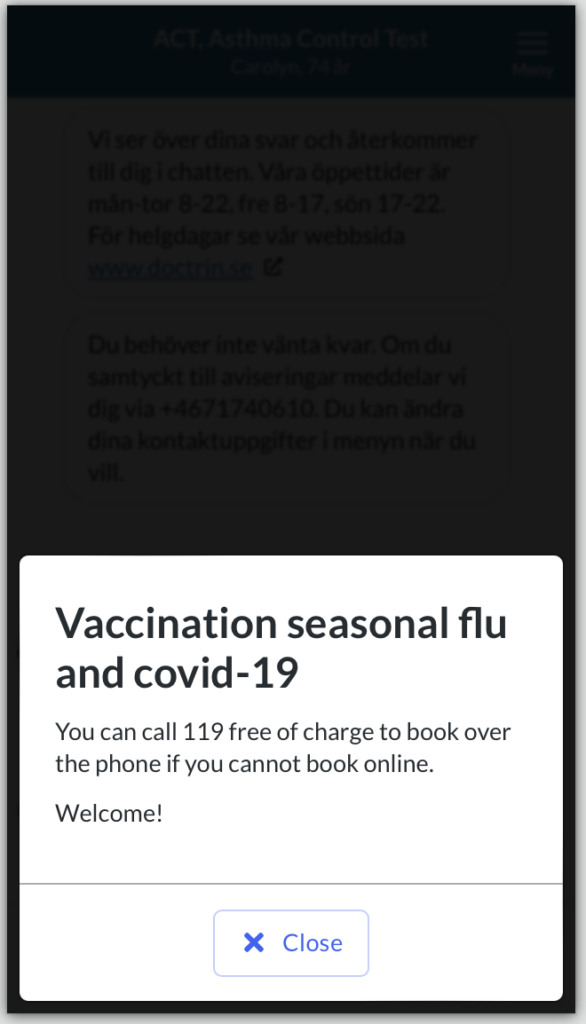
If the notice board is switched on, patients will see it when they log in and open a new or ongoing case.
How to switch on/off the notice board
- Log in to admin an select the unit you want to manage.
- Select settings.
- Select Notice board.
- Add the information that you want to communicate for the unit. It is possible to use formatting and links. A preview is shown on the same page.
- Save changes.
- To switch the notice board on/off, check “enable notice board”.
- Save changes.
Previously saved text is saved and remains even if the notice board is disabled for a period of time.
How the patient sees the information on the notice board
Updated on 2023-12-05