
Getting started with admin
Admin allows you to adapt Doctrin to the needs of your unit(s).
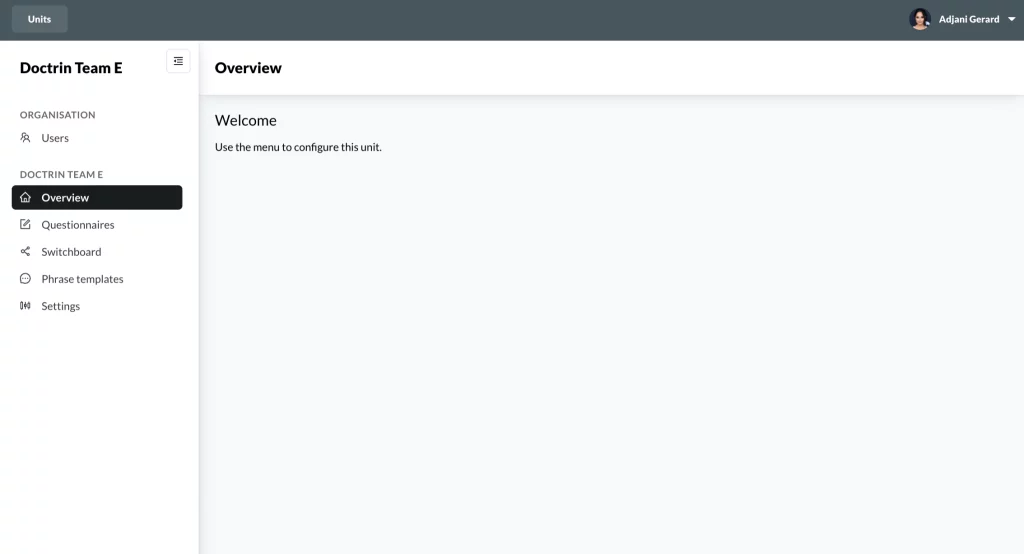
- Open a supported web browser and go to the URL provided by Doctrin.
- The authentication method to login depends on the setup for your unit. If you can not login, contact your unit superuser and request access to Doctrin admin.
- When logged in, you will see a list of units that you can manage.
- Select the unit that you want to manage by clicking on the unit name.
- Use the menu to go to the section you want to manage.
This is what you can do in the different sections:
- Users – view, create and edit users, assign workplaces to users, deactivate users.
- Questionnaires – configure what questionnaires should be available where in the platform, configure signposts, change age and assigned sex at birth for questionnaires.
- Switchboard – create rules that can route patients to TeleQ or to specific professions in the caregiver view.
- Phrase templates – create and manage predefined phrases that are available to the healthcare professional working in the platform. They can be used in the chat and sendouts.
- Settings – update information that is shown to the patient. Configure opening hours, information on the logged out screen, add shortcuts for reasons for contact and update documents such as accessibility statement, privacy notice and payment policy.
Contact Doctrin if you need a customisation that is not part of what you can see in Doctrin admin.
Updated on 2023-01-23