
Create and manage meeting rooms
If you are new to using Meeting rooms, learn about the feature in Get started with Meeting rooms.
How to create Meeting rooms
All caregivers in a unit can create meeting rooms. You can e.g. manage meeting rooms for video consultations for a colleague.
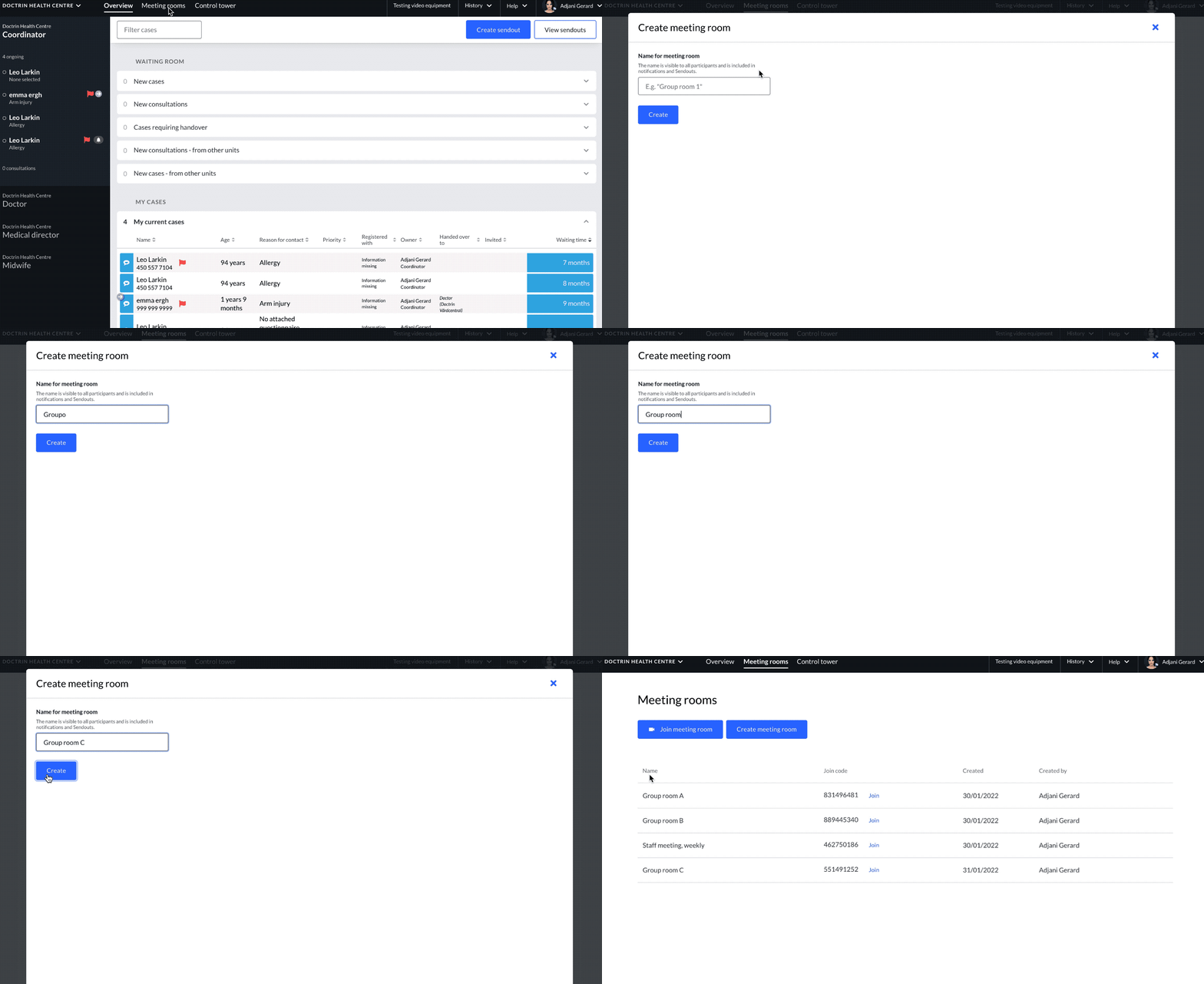
- Log in to your unit.
- In the main menu select, “Meeting rooms”.
- Select “Create Meeting room”.
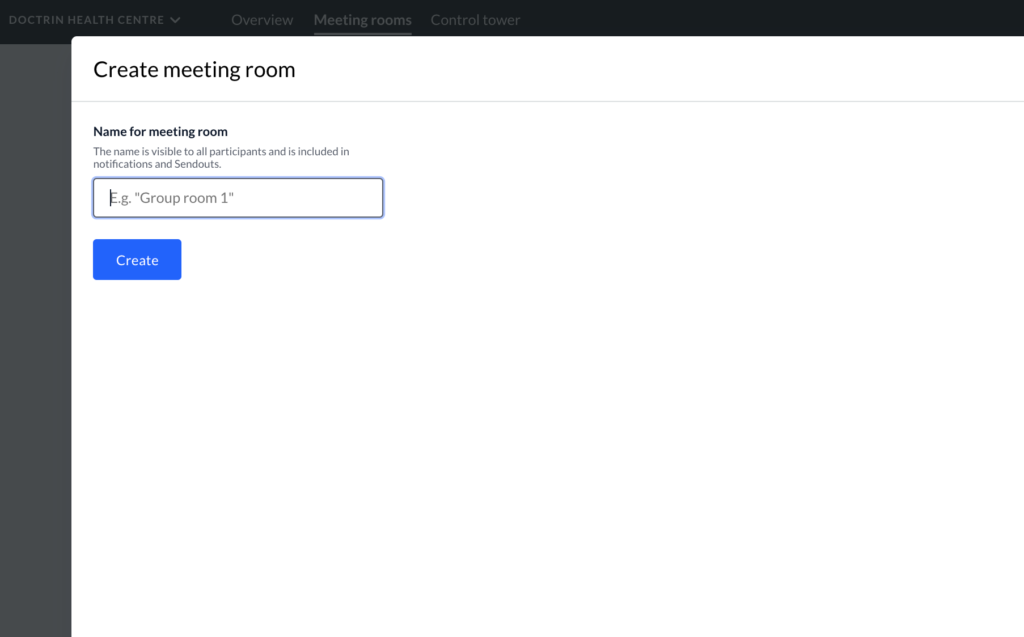
- Write a name for your meeting room. All participants will be able to see the name and it can also be shown in notifications. Choose a name that is appropriate for the activity in the meeting room. E.g. “Parent group 1”.
- Select “Create”.
- The meeting room is now available and is shown in the list of the unit’s meeting room.
Meeting rooms can be attached to information sendouts to make it easier for patients to have all the information in one place. When a meeting room is attached to a sendout, a button is created in the sendout that takes the patient directly to the video consultation.
Manage Meeting rooms
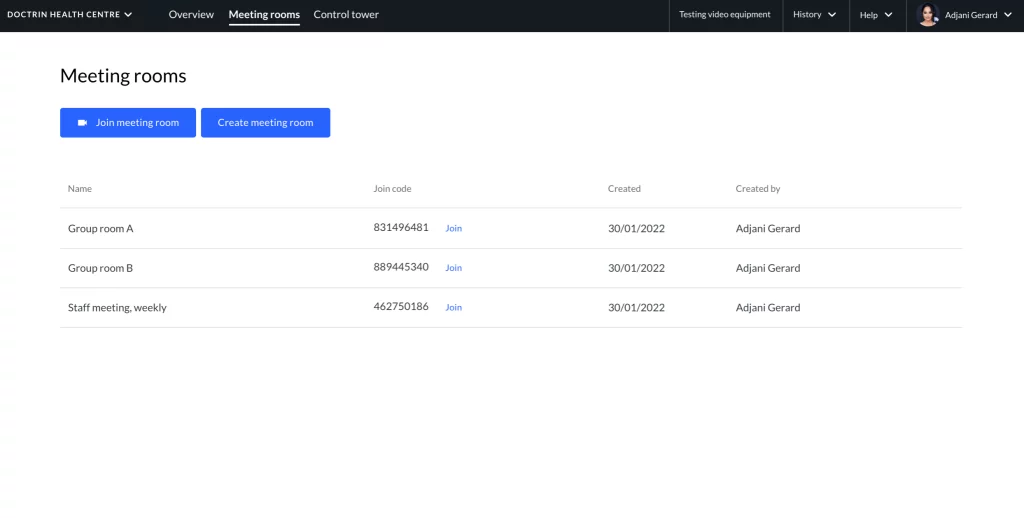
All Meeting Rooms created in a unit are listed on the Meeting rooms page. This means that you see meeting rooms that both you and your colleagues have created. It is possible for all logged in caregivers to join any of the meeting rooms in the list.
For each Meeting Room, the following information is shown:
- Name.
- Join code.
- A button to join the meeting room directly.
- Date when the meeting room was created.
- Who created the meeting room.
Updated on 2024-06-03