
Redash
Table of contents
Download data
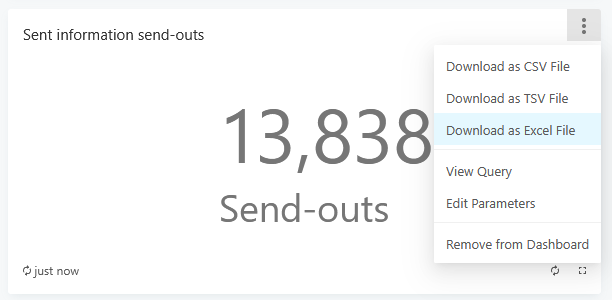
Redash expose data used in reports. You can download file with data:
- Hover over widget
- Click 3 dots in top-right corner of widget
- Download in Excel or text (csv/tsv) format
How “fresh” is the data?
To show analytics data Redash fetch data from database and caches it so next time you visit the report Redash use cache instead of reading from database again. Data in analytics is updated once per day so refreshing it once per day is enough.
Each widget shows how old the data is in the bottom-left widget corner. In other words, it shows when Redash fetched data last time from database.
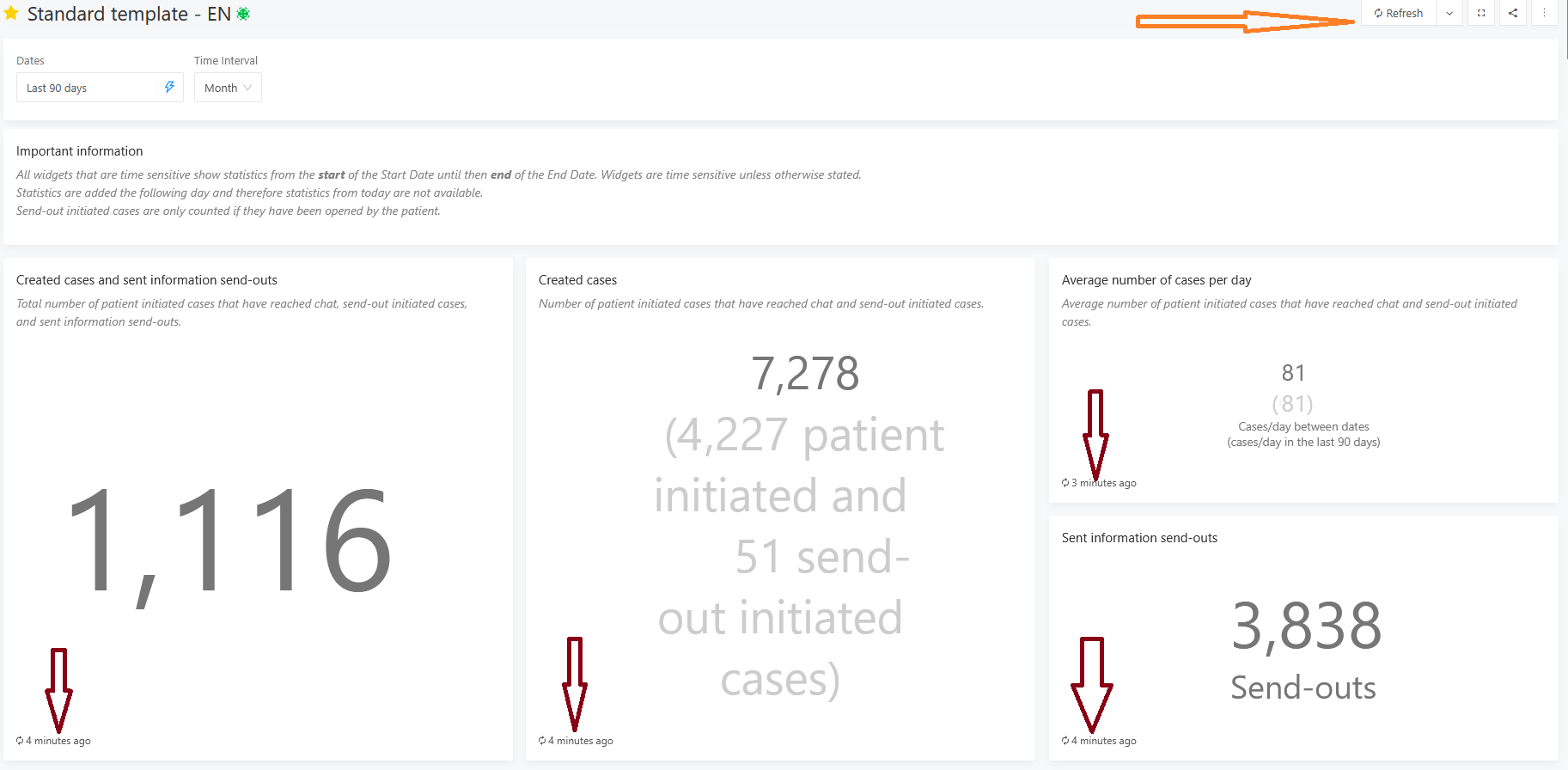
You can refresh all widgets with the Refresh button in top-right corner of the whole dashboard. To refresh a single widget, click on the link telling how old the data is:
Playing with bars
You can show/hide any of the measures in a visualization by clicking on it (see video below). This doesn’t trigger new database request, no “refresh”. It just display/hide data to improve readability.
Updated on 2026-09-18