
Flag a case
The priority flag highlights cases to make them easier to find.
If the feature “Flag a case” is activated for a unit, you can see it in the panel where you also see the status for a case.
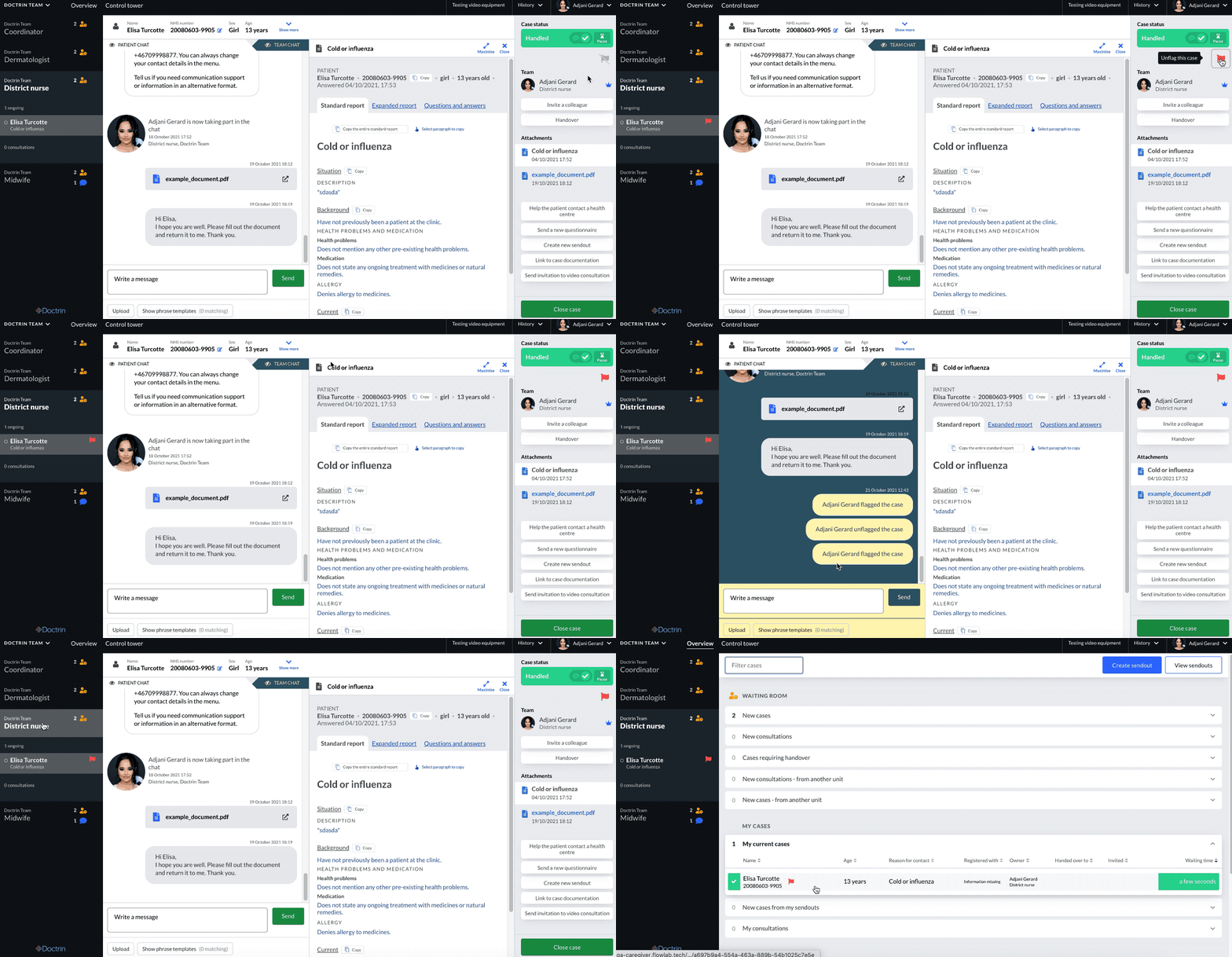
How the feature “Flag a case” works
- Flag/unflag a case in the case view.
- A flag does not affect sorting of cases.
- Everyone with access to the case can see the flag.
- A flag is active within the own unit.
- The flag is not transferred with a handover to another unit.
- When a case is flagged/unflagged it is logged in the team chat.
- The patient will not see when a case is flagged/unflagged.
If a case is flagged – you can see the flag in the Overview, the activity panel and the case view.
How you can use the flag
Discuss within your unit how the flag should be used. The flag can e.g. be used to indicate:
- Medical priority
- Priority due to process
- Reminder to yourself or to colleagues that a case needs attention
Updated on 2022-02-10