
Delete attachment
If you are new to working with attachment, learn more about attachments for cases.
Sometimes there is a need to delete attachments from a case. E.g. if they have been uploaded by mistake or if the attachment contains information that should not be saved. An attachment can be a JPG, PNG or PDF.
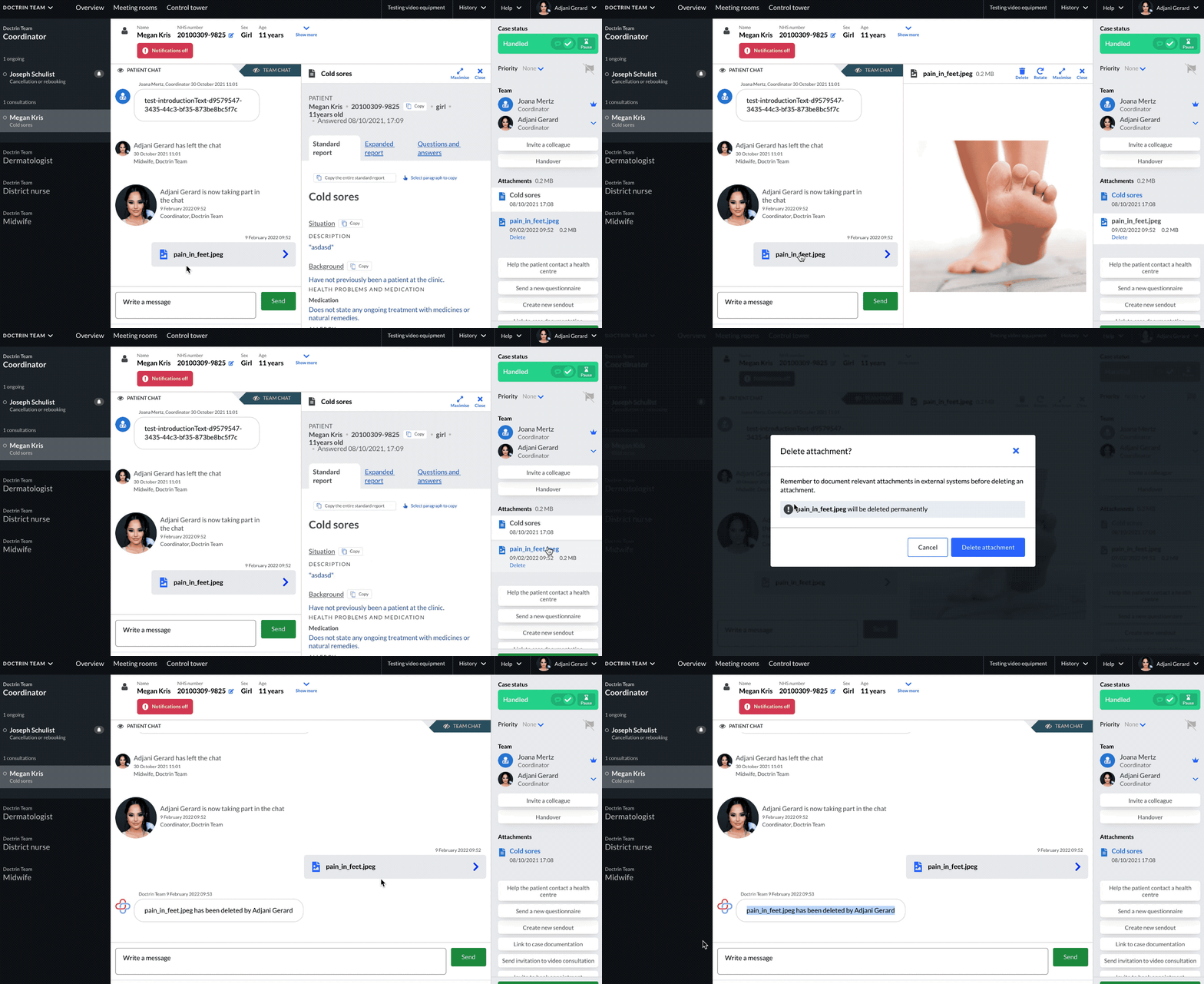
How to delete an attachment from a case
- Go to the case view for a patient.
- Attachments are listed in the tool panel, visible as a white tab with the date and time when the attachment was added.
- Select the attachment you want to manage
- make sure that the attachment has been documented in an external system e.g. medical records, if this is needed.
- Select “Delete” for the attachment you want to delete permanently.
- A new window will show where you need to confirm that you want to delete the attachment.
- Select “Delete attachment”
- The attachment is now deleted from the platform and can not be restored.
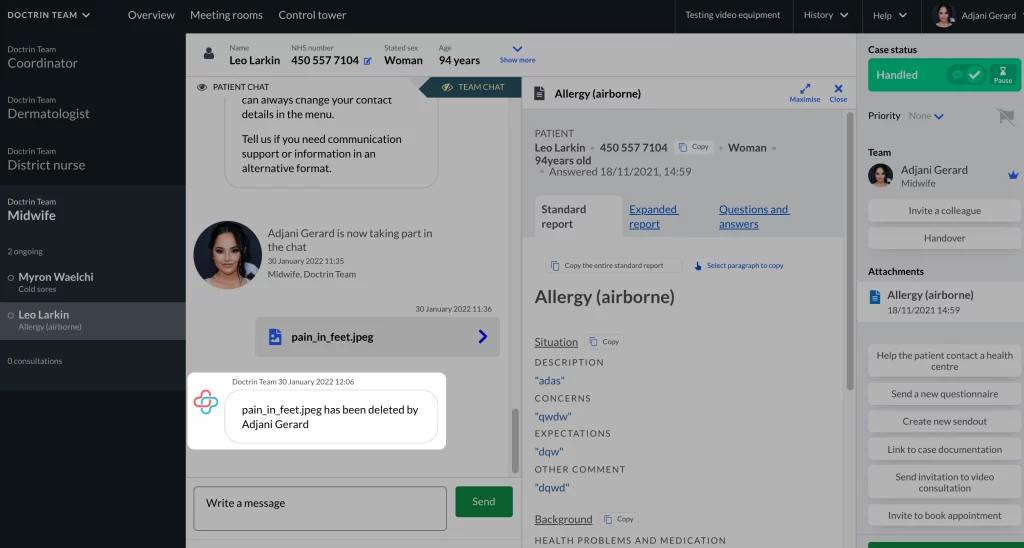
- The action is documented in the chat, visible to both patient and caregiver, with name of the attachment, name of the caregiver who deleted it and the exact time when the attachment was deleted.
Who can delete an attachment from a case?
All participants in a case, except caregivers that are doing a consultation from an external unit. Caregivers receiving a case from another unit can not delete attachments added in a previous unit as they belong to the history of the case.
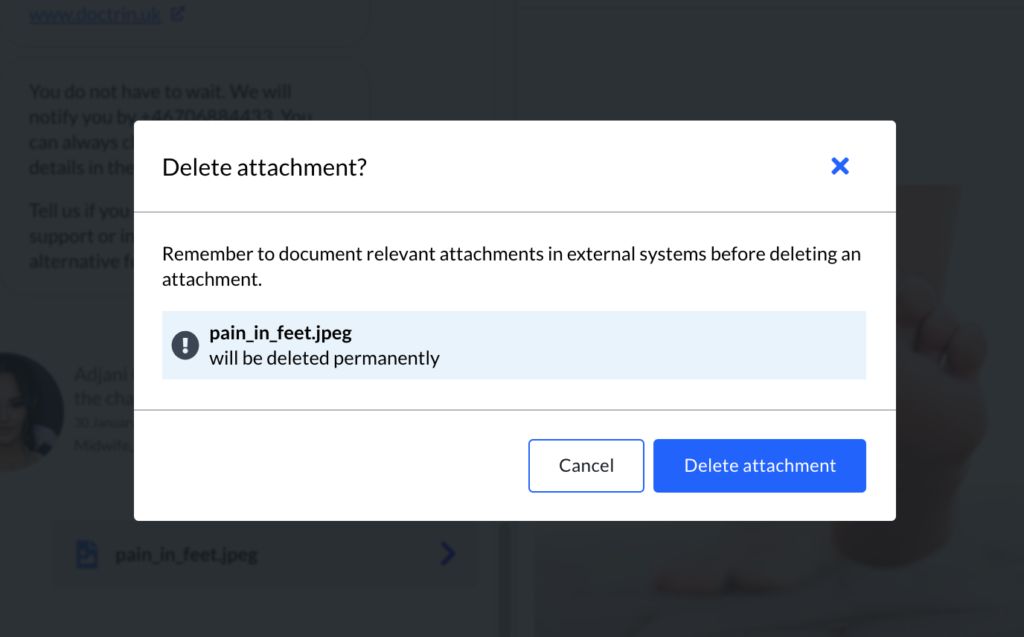
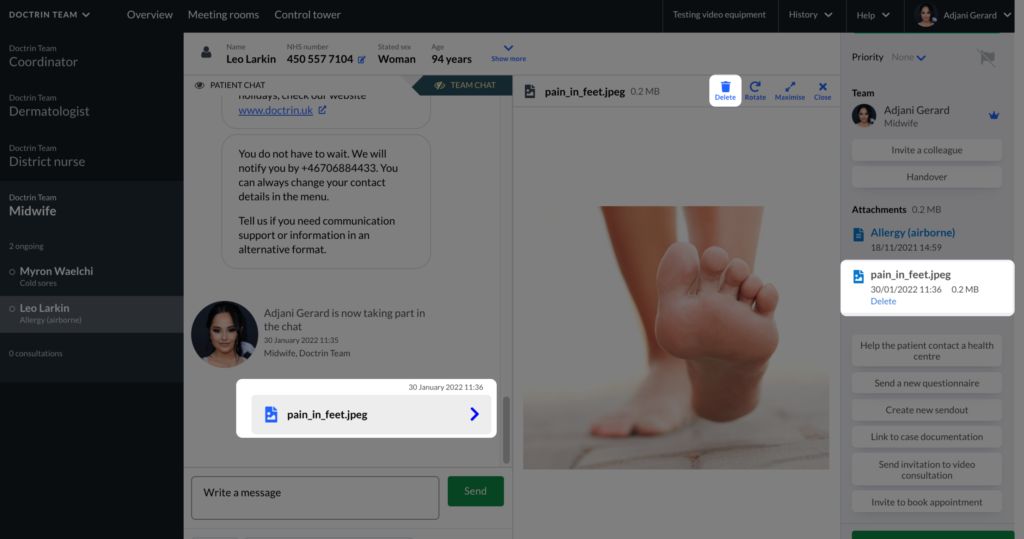
Attachments can also be deleted by selecting them in the chat or toolbar. Select “Delete” in the same view. You will be asked to confirm before the attachment is deleted.
Updated on 2026-03-31